Windows 11 Review
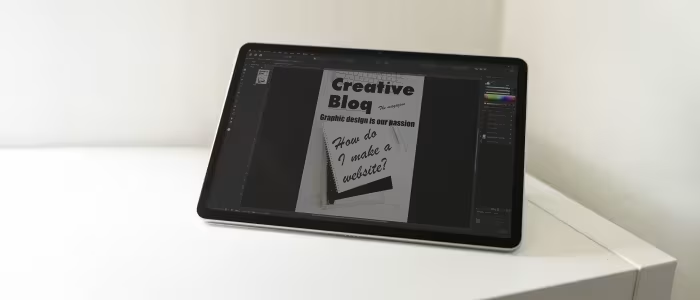
Microsoft Windows 11
Microsoft's latest desktop operating system, emphasizing a modernized, AI-integrated interface and improved window management for diverse hardware form factors.
How This Score Is Calculated
- Sources analysed: 35 reviews
- Raw weighted average: 7.4/10
- Consensus bonus +0.3: High agreement on UI/Design
- Final score: 7.4/10
- Most reviewed featureUI/Design (22/35)
- Most praisedWindow Management
- Most criticisedStrict System Requirements
- Reviewer consensus levelHigh
Windows 11 represents a significant visual and functional refinement for Microsoft, introducing a clean, centered UI and advanced multitasking tools like Snap Layouts. While widely praised for its design consistency and gaming performance, reviewers remain divided over its strict hardware requirements—specifically TPM 2.0—and the lack of compelling reasons to upgrade from Windows 10. It is currently the standard for modern productivity and gaming, though it continues to struggle with tablet optimization.
🔧 Key Specifications
- Security: TPM 2.0 and Secure Boot required
- Gaming: DirectStorage support
- AI Integration: Microsoft Copilot
- Mobile: Amazon Appstore (Android support)
- Interface: Centered Taskbar, Fluent Design
📊 What Reviewers Say — Feature by Feature
👍 Key Strengths
- Modernized, clean UI design
- Excellent multi-window management
- Strong gaming feature support
- Enhanced security architecture
👎 Key Weaknesses
- Strict, confusing hardware requirements
- Underbaked AI implementation
- Inconsistent tablet/touch optimization
- Limited Taskbar customization
💰 Value for Money Analysis
Windows 11 is generally provided as a free upgrade for eligible hardware, making the "value" proposition dependent on the purchase of the PC itself. Retail licenses are available for approximately ₹11,800 to ₹16,700.
⚡ Where Reviewers Disagreed
- Taskbar Utility: 12 sources praise the centered taskbar for its modern aesthetic, while 8 sources argue it is less customizable and informative than the Windows 10 iteration.
🎯 Who This Product Is For
🛠️ Best Use Cases
- Professional Workstations Excellent for multitasking and security-conscious business environments. Great
- Tablet/Touch Usage Reviewers note the touch interface remains less optimized than dedicated tablet OS competitors. OK
🔀 Alternatives Mentioned by Reviewers
- macOS — The primary competitor to Windows 11, noted by reviewers for its consistent ecosystem and design, though Windows 11 is cited as having superior window management.
- Windows 10 — Often cited by reviewers as the benchmark for stability and customization, with many users opting to stay on it due to the lack of compelling new features in Windows 11.
- ChromeOS — Occasionally mentioned as a simpler, more lightweight alternative for basic browsing and student-focused tasks.
✅ Buy This If…
- You are building a new PC for gaming or professional productivity.
- You want the latest security updates and long-term software support.
❌ Skip This If…
- You rely on older software that may have compatibility issues.
- You are comfortable with Windows 10 and do not need the UI refresh.
📈 Sentiment Trends Over Time
- AI Integration — While initially a highlight, reviewers now describe Copilot as "underbaked," with sentiment flatlining over the last year.
Windows 11 is a polished, visually appealing operating system that excels in productivity and gaming. While it is the necessary future for Windows users, its strict hardware requirements and under-optimized tablet mode keep it from being a perfect successor to Windows 10. It is a solid, reliable choice for most modern users, though not a mandatory upgrade for those with perfectly functioning older systems.
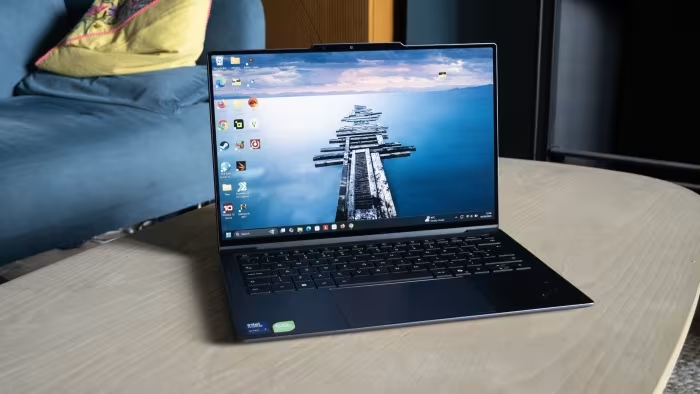
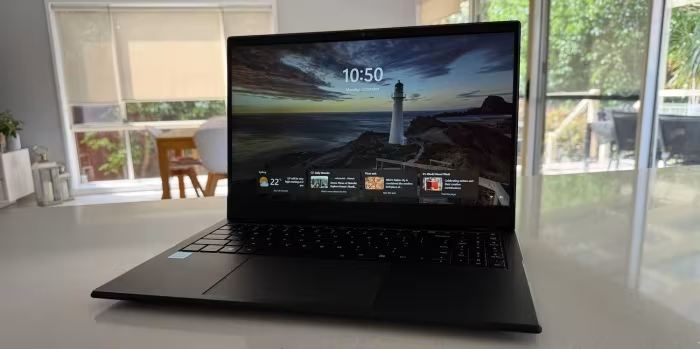
Reviewer Perspectives & Source Breakdown
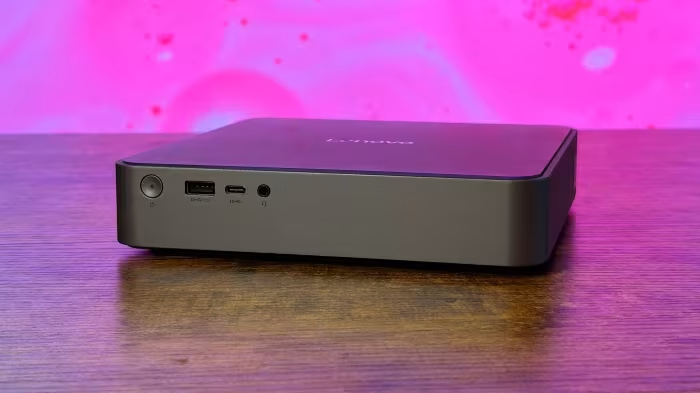
GEEKOM IT13 Max review - Part 2: An Intel Core Ultra 9 185H mini PC test...
The GEEKOM IT13 Max is a reliable mini PC featuring the powerful Intel Core Ultra 9 185H processor. It performs well across various connectivity and I/O tests, consistently meeting advertised specifications.
Pros
- Properly labeled ports with accurate speeds
- Dual 2.5GbE Ethernet interfaces
- Supports Wi-Fi 7 and Bluetooth 5.4
- Reliable USB4 performance
Cons
- Requires reboot for proper GPU dock detection
- Limited standard storage (500GB SSD)
Microsoft Windows 11 Review: The World’s Most Popular Desktop OS Keeps I...
Price: approx. 1,300 INR
Windows 11 features a modernized, user-friendly design and receives frequent, meaningful updates. Despite some lackluster AI features and minor interface inconsistencies, it remains the most compatible and capable desktop operating system.
Pros
- Beautiful and consistent design
- Great window layout options
- Excellent hardware and software compatibility
- Strong gaming features
- Good integration with smartphones
- Frequent updates with meaningful improvements
Cons
- AI features lag behind competitors
- Doesn't work as well on touch tablets
Microsoft Windows 11 Review: The World’s Most Popular Desktop OS Keeps I...
Price: ₹8,500
Windows 11 features a modernized, streamlined design and receives frequent, meaningful updates. While its AI capabilities lag behind competitors, it remains the industry leader in hardware and software compatibility.
Pros
- Beautiful, more consistent design
- Great window layout options
- Excellent hardware and software compatibility
- Strong gaming features
- Good integration with smartphones
- Frequent updates with meaningful improvements
Cons
- AI features lag behind competitors
- Doesn't work as well on touch tablets
Acer Nitro Lite 16 NL16-71G (NH.D59SI.001) Laptop (Core i5 13th Gen/16 G...
Price: Rs. 80,000
The Acer Nitro Lite 16 offers a stylish, portable design and a decent 165Hz display, making it an attractive budget gaming machine. However, it is held back by limited upgrade options, restrained performance, and poor colour accuracy on its screen.
Pros
- Stand-out gaming laptop design
- Lightweight and portable 16-inch machine
- 16:10 165Hz antiglare display
- Thunderbolt 4 and 2.5G Ethernet ports
Cons
- Poor colour accuracy (45% NTSC)
- Limited Type C/Thunderbolt port utility
- Limited upgradeability with only one M.2 slot
- Restrained CPU and GPU performance
Dell Inspiron 15 3000 (3511) review: A work laptop built for those on a ...
Price: Approximately ₹26,500 - ₹51,500
The Dell Inspiron 15 3000 is a solid, well-built budget laptop perfect for everyday productivity tasks. While it lacks modern features like USB-C, it offers great value for those prioritizing affordability and legacy connectivity.
Pros
- High build quality
- Wide range of legacy ports
- Large 15.6-inch screen
- Low starting price
Cons
- No USB-C port
- Lacks built-in Windows Hello hardware
- Trackpad feels loose at corners
Lenovo Yoga Slim 7 14Q8Y11 review: Doubling down on Windows ARM with Sna...
Price: approx 175,000 INR
The Snapdragon X2 Elite significantly improves over its predecessor, offering strong multi-threaded performance and excellent battery life. While it runs cooler and longer than many x64 competitors, potential software incompatibility issues make it a risk compared to standard Intel or AMD versions.
Pros
- Significant processor performance improvements
- Standard OLED display across all SKUs
- Very thin and lightweight design
- Runs relatively cool under load
- Highly efficient CPU performance
- Impressive battery runtimes
Cons
- OLED screen lacks brightness in SDR mode
- Does not support full-size M.2 2280 SSDs
- Limited to USB-C ports only
- Lacks a 3.5mm audio jack
- Fans can be loud under load
- x64 emulation remains hit or miss
- Non-upgradeable RAM
HP OmniBook 3 hz0026QU Laptop (Snapdragon X/16 GB/512 GB SSD/Windows 11)...
Price: Rs 79,990
The HP OmniBook 3 is a reliable productivity laptop that offers smooth performance and excellent battery life. While its design and display brightness are modest, it serves as a capable workhorse for everyday tasks.
Pros
- Smooth performance
- Good battery life
- Antiglare display
- Compact charger
Cons
- Screen brightness could have been better
- Audio quality is so-so
Lenovo IdeaPad Slim 5 13ARP10 Gen 10 (83J2000HIN) Laptop (AMD Octa Core ...
Price: Under Rs. 70,000
The Lenovo IdeaPad Slim 5 13ARP10 is an excellent, overlooked productivity laptop offering a premium metal build, strong performance, and great connectivity under the Rs. 70,000 price point. Despite minor gripes like soldered RAM and average battery life, it is a highly recommended choice for students and professionals.
Pros
- Premium all-aluminium chassis
- Powerful everyday performance
- Bright, colour-accurate 16:10 display
- Excellent port selection
Cons
- Soldered RAM with no upgrade path
- Average battery life under heavy workloads
- Side-mounted power button is prone to accidental presses
Asus ROG Zephyrus G16 (GU606AR-TB039WS) Ultrabook (Intel Core Ultra 9 38...
Price: Rs 4,50,000
The ASUS ROG Zephyrus G16 (2026) is a highly refined, portable powerhouse that expertly balances gaming performance with content creation needs. While its premium build and capabilities are impressive, the high price point and fan noise under load are notable drawbacks.
Pros
- Premium design that is portable and practical
- Best-in-class multimedia experience
- Excellent balance between gaming and content creation
- Strong all-round performance with improved efficiency
Cons
- Very expensive compared to alternatives
- Fan noise can get aggressive under heavy loads
- Limited upgradeability
Page 1 of 5