Razer Pro Click Review
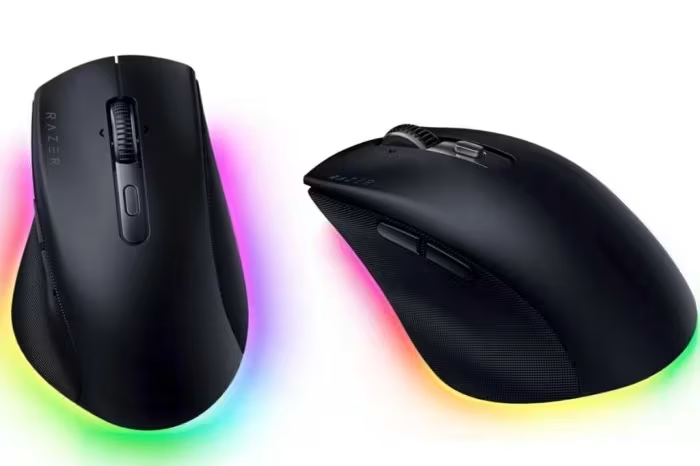
Razer Pro Click Series
A range of ergonomic, productivity-focused mice blending gaming-grade sensor performance with professional office aesthetics.
How This Score Is Calculated
- Sources analysed: 21 reviews
- Explicit scores: 12 sources (weighted 1.5×)
- Sentiment-only: 9 sources (weighted 1.0×)
- Split: 17 Positive · 3 Mixed · 1 Negative
- Raw weighted average: 8.2
- Formula: Σ(score × weight) ÷ Σ(weight)
- Most reviewed featureErgonomics (19/21)
- Most praisedComfort & Precision
- Most criticisedSoftware (Synapse) & Price
- Reviewer consensus levelHigh
- Value for moneyGood Value (7.4/10)
The Razer Pro Click series is widely regarded as a top-tier ergonomic solution for professionals, successfully adapting Razer's high-performance gaming sensor technology for office environments. While the series receives near-universal praise for its comfort, build quality, and precision, reviewers frequently note that the Razer Synapse software can feel bloated and unintuitive. It stands out as an excellent choice for power users, though those on a budget or requiring specialized features like free-spin scrolling on every model may find better alternatives.
🔧 Key Specifications
- Sensor: Razer Focus Pro 30K Optical
- Connectivity: HyperSpeed 2.4GHz Wireless, Bluetooth
- Battery Life: Up to 6 months (model dependent)
- Software: Razer Synapse 3
- Buttons: Fully programmable (up to 8 buttons)
- Build: Premium textured finish, ergonomic design
💲 Price Range
₹6,600 – ₹10,000
Prices fluctuate based on region and specific model (Pro Click, Mini, or Vertical).
📊 What Reviewers Say — Feature by Feature
14 key features evaluated across 21 sources.
👍 Key Strengths
- Exceptional ergonomic comfort
- High-precision 30K optical sensor
- Excellent multi-device wireless connectivity
- Strong, professional build quality
- Versatile programmable buttons
👎 Key Weaknesses
- Bloated and unintuitive Synapse software
- Premium price point
- Learning curve for vertical models
- Not suitable for left-handed users
- Dated charging ports on older models
💰 Value for Money Analysis
Reviewers generally consider the Pro Click a worthwhile investment for professional users who prioritize strain reduction and performance. While priced at a premium, the build quality and sensor performance justify the cost for most, though some note it struggles against cheaper, feature-rich alternatives.
⚡ Where Reviewers Disagreed
- Suitability for Gaming: 8 sources praise its gaming performance, while 3 sources suggest it is too heavy or lacks specific gaming features compared to dedicated ultra-light mice.
🎯 Who This Product Is For
🛠️ Best Use Cases
- Productivity Work Excellent for heavy document work and macro-intensive tasks. Great
- Mixed-Use Gaming High-precision sensor allows for capable gaming in a professional form factor. Good
🔀 Alternatives Mentioned by Reviewers
- Logitech MX Master 3S — Frequently cited as the primary rival, favored by some for its superior scroll wheel technology and gesture controls, though often considered less "gaming-capable" than the Razer.
- Logitech Lift — Recommended for users with smaller hands who find the Pro Click V2 Vertical too bulky, though it lacks the premium sensor polish of the Razer.
- Evoluent Vertical Mouse — Mentioned as an alternative for vertical ergonomics, though reviewers generally find the Pro Click V2 more modern and consistent.
- Apple Magic Mouse — The Pro Click is often positioned as a more ergonomic, feature-rich alternative for Mac users who find the Magic Mouse uncomfortable for long sessions.
- Logitech MX Vertical — A direct competitor to the Pro Click V2 Vertical; Razer is often cited as having faster responsiveness and better battery life.
✅ Buy This If…
- You need a mouse that excels at both work productivity and casual gaming.
- You suffer from wrist strain and require a proven ergonomic shape.
- You want a highly customizable mouse with deep macro support.
❌ Skip This If…
- You are left-handed (no models available).
- You require a lightweight mouse for competitive, twitch-reflex gaming.
- You want a simple, "plug-and-play" experience without software configuration.
The Razer Pro Click series is an outstanding choice for professionals seeking to blend ergonomics with high-performance sensor tech. While the software can be finicky, the hardware comfort and build quality make it a standout in the productivity peripheral market. It is highly recommended for right-handed users who spend long hours at their desks. For those needing a more specialized office experience, the Logitech MX Master series remains a strong alternative to consider.
Reviewer Perspectives & Source Breakdown
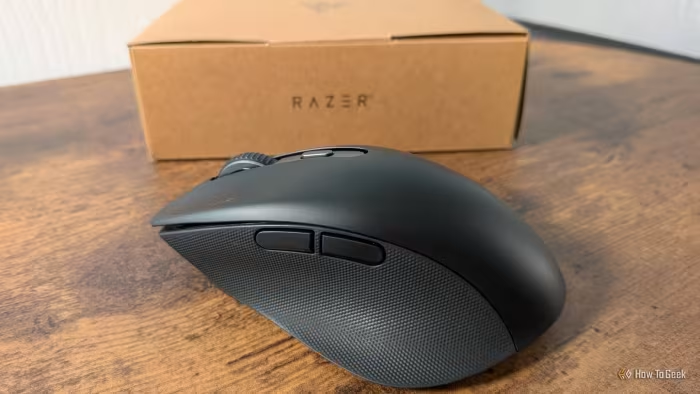
Razer Pro Click V2 Mouse Review: Can Ergonomic and Gaming go hand in han...
Price: INR 9,600
The Razer Pro Click V2 is a high-performance ergonomic mouse that successfully bridges the gap between professional productivity and casual gaming. While its software and connectivity indicators need refinement, its superior sensor and comfortable design make it a versatile tool for work and play.
Pros
- Stealthy, elegant design
- Excellent ergonomic comfort
- High 30k DPI sensor
- Works on various surfaces including glass
- Functional side-scrolling scroll wheel
Cons
- Software is resource-intensive
- Requires constant software for custom settings
- Poor Bluetooth device identification
- Non-braided charging cable
- Subpar battery life with RGB enabled
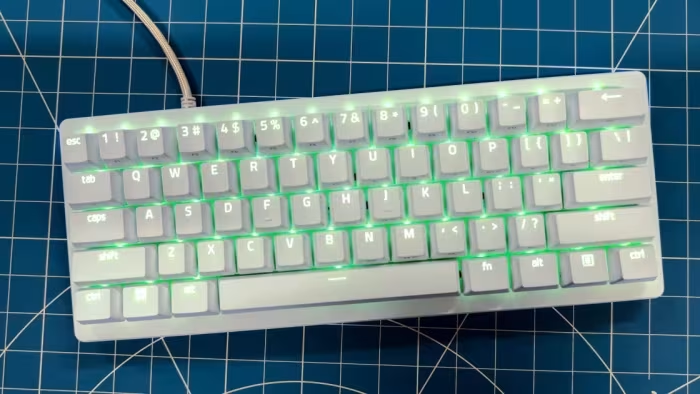
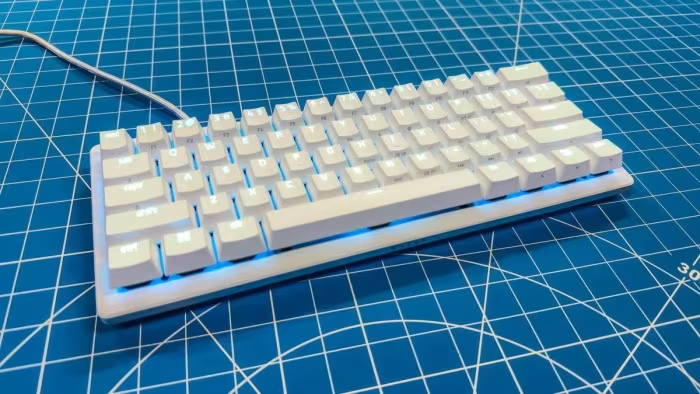
Razer Huntsman V3 Pro Mini Review: This Little Keyboard Doesn't Click Wi...
Price: approx. ₹15,000
The Razer Huntsman V3 Pro Mini offers fast optical switches and good RGB lighting, but suffers from noisy acoustics and a high price point. It struggles to compete with more affordable and feature-rich alternatives.
Pros
- Optical switches allow for adjustable actuation points
- Impressive RGB effects
Cons
- Expensive
- Switches are noisy
- Not hot-swappable
- Plastic base feels cheap
- No wrist rest included
Razer Huntsman V3 Pro Mini Review: This Little Keyboard Doesn't Click Wi...
Price: Approx. 10,800 INR
The Razer Huntsman V3 Pro Mini offers useful adjustable actuation points and decent aesthetics but falls short due to noisy switches, a plastic build, and a high price. It struggles to justify its cost when more affordable and feature-rich alternatives exist.
Pros
- Adjustable actuation points via optical switches
- Impressive per-key RGB lighting effects
- Compact and space-saving design
Cons
- Noticeable metallic ping sound when typing
- Switches are not hot-swappable
- Plastic base feels less than premium
- Expensive for a wired 60% keyboard
- No wrist rest included
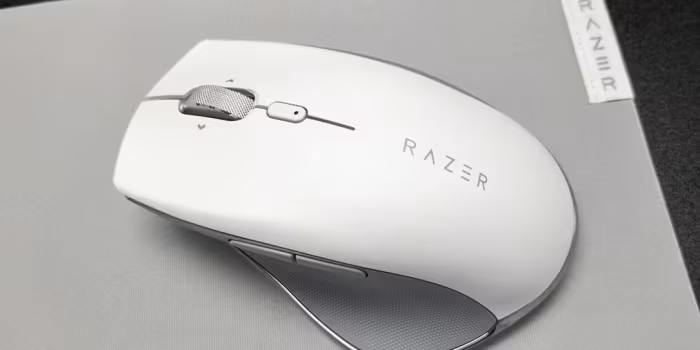
Razer Pro Click review: Comfortable, ergonomic wireless mouse with long ...
Price: Approx ₹8,400
The Razer Pro Click is an exceptionally comfortable and high-performing productivity mouse that sets a high bar for ergonomic office peripherals. It offers excellent battery life, premium build quality, and versatile connectivity, making it a worthy investment for professionals.
Pros
- Sleek and highly comfortable ergonomic design
- Impressive long-lasting battery life
- Versatile wireless connectivity options
- Flawless performance for daily productivity tasks
- Programmable buttons enhance workflow efficiency
Cons
- Synapse app lacks exact battery percentage display
- Uses older Micro-USB charging instead of USB-C
Razer Pro Click Mini review: Pint-sized productivity mouse for work on t...
Price: Approx. ₹6,600
The Razer Pro Click Mini is a compact, highly portable, and responsive wireless mouse ideal for productivity on the go. Despite a slightly high price point and some minor design tradeoffs, its performance and feature set make it a solid choice for mobile professionals.
Pros
- Compact and portable ambidextrous design
- Dual wireless connectivity options
- Responsive performance with silent switches
- Adjustable scroll wheel modes
Cons
- Relatively high price point
- Synapse software limited to 2.4GHz mode
- No wired connectivity option
Razer Huntsman V3 Pro TKL review: Clicky, comfortable, customizable | La...
Price: ₹24,614
The Razer Huntsman V3 Pro TKL is an excellent keyboard for competitive gamers, offering premium build quality and highly adjustable features. However, its high price and sometimes finicky software may be significant drawbacks for casual users.
Pros
- Durable doubleshot PBT keycaps
- Highly adjustable key actuation
- Numerous additional gaming features
- Satisfying typing feel
- Comfortable magnetic palmrest
Cons
- Finicky and sometimes frustrating software
- High price point for some users
Razer Pro Type and Pro Click review: "All-day productivity with a smooth...
Price: Approximately ₹8,300 to ₹11,600
The Razer Pro line successfully brings gaming-grade responsiveness and build quality to an understated office design. While the keyboard is a strong productivity contender, the mouse struggles to compete with specialized alternatives at the same price point.
Pros
- Smooth and responsive feel
- Understated design
- Powerful specs
Cons
- Mouse could use more productivity features
Razer Pro Type Ultra, Click Mini, and Glide XXL review: Gaming the offic...
Price: Approximately ₹13,200
The Razer Pro Type Ultra is a solid, comfortable mechanical keyboard for professional use, offering multi-device connectivity and great ergonomics. However, it is quite loud, lacks macOS support, and falls behind quiet office alternatives.
Pros
- Multi-device controls for up to four devices
- Great comfort for long periods of typing
- Included wrist rest is high quality
Cons
- Heavier than most keyboards
- Yellow linear switches are loud
- Not compatible with macOS
Razer Pro Click Wireless Mouse - Review 2020 - PCMag UK - uk.pcmag.com...
Price: approx. ₹26,500
The Razer Pro Click is an essential, high-performance office mouse that adapts top-tier gaming ergonomics for productivity power-users. It offers exceptional comfort, extensive customization, and reliable multi-device connectivity.
Pros
- Strong ergonomic shape
- Supports Bluetooth and 2.4 GHz wireless
- Multi-device syncing capability
- Eight fully customizable buttons
- Built-in wireless dongle storage
- Excellent battery life
Cons
- Uses dated Micro-USB charging port
- High price point
Page 1 of 3