Apple Creator Studio Review
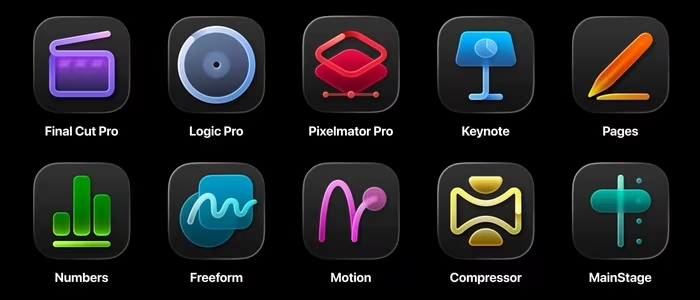
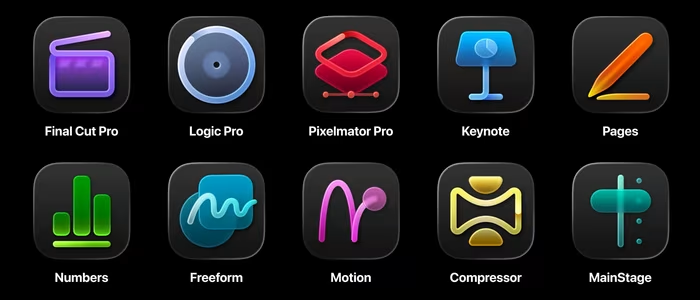
Apple Creator Studio
A powerful, subscription-based software bundle for Mac and iPad, integrating professional creative tools with AI-driven workflow enhancements.
How This Score Is Calculated
- Sources analysed: 10 reviews
- Explicit scores: 0 sources (weighted 1.5×)
- Sentiment-only: 10 sources (weighted 1.0×)
- Split: 8 Positive · 2 Mixed · 0 Negative
- Raw weighted average: 8.4
- Formula: Σ(score × weight) ÷ Σ(weight)
- Review period: January 2026
- Value sources: 7 of 10 mentioned price or value
- Final score: 8.4/10
- Most reviewed featureValue/Subscription (7/10)
- Most praisedCross-platform Integration
- Most criticisedSubscription model lock-in
- Reviewer consensus levelHigh
- Value for moneyExcellent Value (8.6/10)
Apple Creator Studio is a high-value subscription suite that bundles industry-standard creative tools like Final Cut Pro and Logic Pro with deep iPad-Mac integration. Reviewers praise its cost-effectiveness compared to individual app purchases and the addition of practical AI-driven workflow features. While it creates a cohesive ecosystem for power users, it remains strictly locked within the Apple hardware environment, which may frustrate those seeking cross-platform flexibility.
🔧 Key Specifications
Specifications sourced from reviewer mentions.
- Core Apps: Final Cut Pro, Logic Pro, Pixelmator Pro (plus others)
- Compatibility: macOS and iPadOS
- AI Features: Visual search, transcript analysis, timeline intelligence
- Storage/Sync: Seamless project syncing across Apple devices
- Subscription Perks: Family sharing included
💲 Price Range
Approx. ₹10,800–₹11,000 per year
Also available at approx. ₹1,080–₹1,100 per month.
📊 What Reviewers Say — Feature by Feature
7 features evaluated across 10 sources.
👍 Key Strengths
- Significant cost savings over individual purchases
- Excellent Mac and iPad workflow integration
- Powerful AI-driven search and editing tools
- Family sharing support included in subscription
- Coherent suite for video and music
👎 Key Weaknesses
- Locked into the Apple ecosystem
- Subscription model not for everyone
- App integration could be tighter
- Overwhelming for new creative users
- File management on iPad can be tricky
💰 Value for Money Analysis
Reviewers view this as one of Apple's best-value products, especially for students and professionals who already use multiple apps. The bundle breaks even compared to individual perpetual licenses over approximately four years.
7 of 10 sources commented on price or value.
⚡ Where Reviewers Disagreed
The following areas saw meaningful disagreement across sources.
- Integration Depth: 3 sources praised the seamless integration, while 2 sources noted that integration between individual suite apps still feels disjointed and requires improvement.
🎯 Who This Product Is For
Reviewer recommendations for different target audiences and use cases.
🛠️ Best Use Cases
- Video and Music Production Highly recommended for editors needing a cohesive suite of tools that work well together. Great
- Mobile Creative Work Ideal for users who split their time between a Mac desktop and an iPad on the go. Good
🔀 Alternatives Mentioned by Reviewers
Maximise this list. Include EVERY single competitor, rival, or alternative product mentioned in any of the source reviews.
- Adobe Creative Cloud — The direct competitor to Apple's bundle; reviewers note that while Adobe is the industry standard for cross-platform, Apple's suite offers better AI-timeline integration for Mac-native users.
- Affinity Suite — Mentioned as a major alternative that offers an all-in-one app for free, making it a strong budget-friendly competitor for graphic designers specifically.
- Blackmagic DaVinci Resolve — Frequently compared to Final Cut Pro; noted for its professional-grade color grading and project portability that sometimes exceeds Apple's current capabilities.
Alternatives sourced exclusively from reviewer mentions.
🛒 Buyer's Guide
✅ Buy This If…
- You are a student or professional who uses multiple Apple creative apps.
- You want a unified workflow between your Mac and your iPad.
- You prefer an all-in-one subscription over managing individual software licenses.
❌ Skip This If…
- You require cross-platform support for Windows or Linux.
- You are a casual user who only needs one specific app, not the whole suite.
- You strictly refuse to engage with subscription-based software models.
⚠️ Things to Check Before Buying
- Verify your iPad and Mac compatibility for the latest AI features.
- Consider if you need the full suite or if individual perpetual licenses still offer better long-term value for your specific use case.
📈 Sentiment Trends Over Time
Reviews span January 2026. The following changes were detected:
- AI Integration — Early reports suggest AI tools are becoming more refined and helpful for routine creative tasks.
Apple Creator Studio is an outstanding value for dedicated Mac and iPad users, offering a cohesive and powerful suite of professional tools. While the subscription model and ecosystem lock-in will deter some, the sheer cost savings and AI-enhanced workflow features make it a must-have for most creative professionals. If you are already invested in Apple hardware, this is the most efficient way to manage your creative software.
Top Alternative: Adobe Creative Cloud — Choose this if you require cross-platform compatibility and industry-standard collaboration tools.
Reviewer Perspectives & Source Breakdown
Apple Creator Studio Review: The Best Case to Bury Your Adobe Subscripti...
Price: Approx. ₹1,100 per month or ₹11,000 per year
Apple Creator Studio is an excellent value for users looking to replace expensive Adobe subscriptions. While it lacks some professional-grade features and includes some unnecessary AI clutter, it offers a robust, cost-effective suite for creative work.
Pros
- Affordable price for multiple creative applications
- Pixelmator Pro performs well on iPad
- Makes professional creative tools more accessible
Cons
- Turns some legacy apps into freemium models
- Includes pointless AI features in Keynote
- Lacks advanced Lightroom and InDesign features
Apple Mac Studio (M2 Max, 2023) Review: The Middle-Ground Mac for Conten...
Price: Rs. 2,09,900 onwards
The Mac Studio with M2 Max is a compact, highly powerful machine that sits perfectly between the entry-level Mac mini and the expensive Mac Pro. It is an excellent choice for content creators who need significant professional-grade performance in a small form factor.
Pros
- Extremely powerful M2 Max and Ultra chip options
- Compact and portable design
- Convenient front-facing ports
- Support for multiple high-resolution displays
Cons
- No user-upgradeable components
- Extremely expensive configuration options
- Uses inconvenient 16A power plugs in India
Apple’s $13/month Creator Studio: Pro Editing Tools That Crush $680 in U...
Price: Approximately 1,100 INR per month
Apple is launching a $12.99 monthly 'Creator Studio' subscription that bundles six professional creative apps, including Final Cut Pro and Logic Pro. This model offers significant long-term savings compared to individual software purchases and adds useful AI-driven workflow tools.
Pros
- Significant cost savings over individual app purchases
- Includes useful AI-powered editing and workflow features
- Family sharing extends value to six members
- Seamless project syncing across Apple devices
Cons
- Restricted exclusively to the Apple ecosystem
- Subscription model may not suit occasional editors
- Requires long-term commitment for cost-effectiveness
Mac Studio Review: Why Apple’s Compact Powerhouse Is the Creator Desktop...
The Mac Studio is a compact, high-performance powerhouse designed for professional creators and power users. It delivers exceptional processing speed and quiet operation for demanding workflows, though it lacks user-upgradable components.
Pros
- Outrageous performance for heavy workloads
- Whisper-quiet operation under load
- Compact and space-saving design
- Excellent selection of connectivity ports
Cons
- Non-upgradable internal memory and storage
- High price point for top configurations
- Limited to macOS environment
- Overkill for casual users
Apple Creator Studio review: Incredible value for creative pros - applei...
Apple Creator Studio offers a high-value subscription bundle for power users, integrating professional tools like Final Cut Pro and Logic Pro with useful new AI-driven features. While the subscription model has limitations, it provides significant enhancements, particularly for iPad workflow.
Pros
- High value if using multiple bundled applications
- Useful new AI-powered intelligent features
- Enhanced iPad features like external monitor support
- Efficient background export on iPad
- Local processing for most AI features
Cons
- Subscription model may not suit everyone
- Lacks full round-trip support between Mac and iPad
- iPad apps locked behind subscription
- Individual purchase option remains but loses subscription features
Hands-on review: Apple Creator Studio earns its keep - futurefive.com.au...
Price: Approximately ₹11,000 per year
Apple Creator Studio is a highly convincing, well-integrated bundle that offers significant value for Mac and iPad creators. Its practical AI and productivity features streamline workflows, making it an excellent subscription for those already embedded in the Apple ecosystem.
Pros
- Coherent integration across video, audio, and image apps
- High-value subscription with family sharing included
- Strong iPad versions for mobile creative work
- Practical AI features that speed up routine tasks
Cons
- Most useful only for those using multiple apps
- Not a replacement for one-off professional purchase options
Review: Apple Creator Studio by Scott Simmons - ProVideo Coalition - pro...
Price: Approximately ₹10,800 per year
Apple Creator Studio is an affordable, high-value subscription suite offering seamless creative tool integration across Mac and iPad. While the subscription model caused initial concern, existing one-time purchasers retain update access, making it a powerful ecosystem for content creators.
Pros
- High value for an affordable subscription price
- Excellent workflow integration between Mac and iPad
- Powerful new AI-driven visual and transcript search features
- Fast performance and efficient media organization tools
Cons
- Integration between individual suite apps needs improvement
- Unable to view or export readable transcript text
- File management on iPad can be tricky
- AI analysis requires significant setup time
Apple Creator Studio Review - Is It Worth It? - Mark Ellis Reviews - mar...
Price: Approx. ₹1,080 per month or ₹10,800 per year
Apple Creator Studio offers exceptional value for money, especially for students, by bundling powerful creative apps into a single subscription. While it may feel overwhelming for new users, the inclusion of sophisticated AI tools and cross-platform capabilities makes it a highly competitive creative suite.
Pros
- Excellent value for money
- Covers all major creative software bases
- Useful AI upgrades for Logic and Final Cut
Cons
- Overwhelming for new users
Apple Mac Studio and Studio Display Review: A Desktop Combo for Creators...
Price: Approx. ₹1,50,000 to ₹3,00,000
The Mac Studio is a powerful, compact desktop aimed at content creators, offering a middle ground between the Mac Mini and Mac Pro. While it lacks internal upgradability, its performance and port selection make it a compelling choice for professionals.
Pros
- Most powerful M1 Mac to date
- Plenty of ports and convenient front-facing connections
Cons
- Not internally upgradable after purchase
- No external GPU support
Page 1 of 2