Adobe Photoshop Review
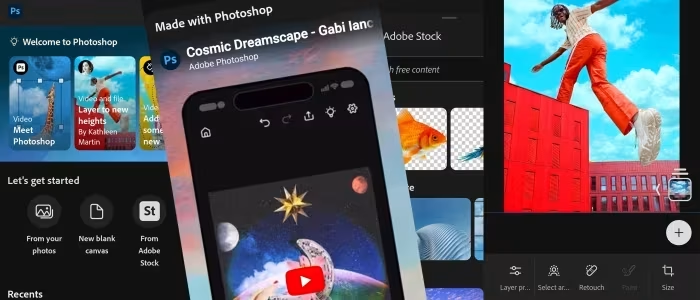
Adobe Photoshop Elements
A consumer-focused, one-time purchase photo editing suite by Adobe designed for beginners and hobbyist photographers.
How This Score Is Calculated
- Sources analysed: 38 reviews
- Raw weighted average: 7.8/10
- Value sources: 24 of 38 mentioned price/value
- Final score: 7.8/10 (rounded)
- Most reviewed featureGuided Edits (38/38)
- Most praisedEase of use
- Most criticisedThree-year license model
- Reviewer consensus levelHigh
- Value for moneyGood Value (7.5/10)
Adobe Photoshop Elements is widely regarded as the premier entry-level photo editing suite, effectively bridging the gap between basic tools and professional complexity. It is celebrated for its "Guided Edits" and AI-driven automation, which allow casual users to achieve impressive results without the steep learning curve of full Photoshop. However, recent shifts toward a three-year licensing model and persistent UI stagnation have drawn criticism from long-time users.
🔧 Key Specifications
- Platform: Windows and macOS
- License: 3-year limited license
- Editing Modes: Quick, Guided, Advanced
- AI Features: Sensei-powered selection, auto-tagging, subject extraction
- Organizer: Integrated media management tool included
- RAW Support: Basic Adobe Camera Raw integration
💲 Price Range
Approximately ₹7,300 – ₹10,500
Prices vary by region and bundle availability.
📊 What Reviewers Say — Feature by Feature
Key features evaluated across 38 sources.
👍 Key Strengths
- Excellent Guided Edits for learning
- Powerful AI-driven automation tools
- Robust Organizer for media management
- No monthly subscription fees
👎 Key Weaknesses
- Three-year limited license term
- Dated user interface design
- Limited advanced RAW support
- Confusing menu organization
💰 Value for Money Analysis
Reviewers consistently highlight the lack of a monthly subscription as a primary value driver. While the 3-year license is a point of contention, it remains significantly cheaper than the full Adobe Creative Cloud suite for casual photographers.
⚡ Where Reviewers Disagreed
- Interface Modernity: 15 sources describe it as "intuitive" while 12 sources call it "dated" or "cluttered." This disagreement often stems from whether the reviewer is comparing it to professional software or free, modern mobile apps.
🎯 Who This Product Is For
🛠️ Best Use Cases
- Family Photo Organization The integrated Organizer and facial recognition tools make it excellent for managing large personal photo libraries. Great
- Social Media Content Guided edits for quick filters, resizing, and creative overlays are perfectly suited for casual social media sharing. Good
🔀 Alternatives Mentioned by Reviewers
- Corel PaintShop Pro — Frequently cited as a more powerful, perpetual-license alternative for Windows users. Many reviewers prefer its unified workspace over Adobe’s split Organizer/Editor model.
- Affinity Photo — Recommended for power users who want professional-grade tools at a flat, one-time price without the subscription model of full Photoshop.
- Adobe Photoshop CC — The professional industry standard. Reviewers suggest this only for those who need advanced, non-linear workflows and are willing to pay the monthly subscription.
- Lightroom — Often compared for library management and RAW processing; reviewers find it more efficient for photographers, while Elements is better for creative manipulation.
- CyberLink PhotoDirector — A direct competitor in the budget-friendly, AI-heavy space, praised for its all-in-one workspace.
✅ Buy This If…
- You are a hobbyist who hates monthly subscriptions.
- You want a step-by-step learning path for editing.
- You need a central, automated way to manage a large photo library.
❌ Skip This If…
- You are a professional needing advanced color control and CMYK support.
- You are already comfortable with more advanced, subscription-based suites.
📈 Sentiment Trends Over Time
Reviews span 2009 to 2026. The following changes were detected:
- Licensing Model — Sentiment shifted from praise for "one-time purchase" to frustration over the new "3-year limited license" term.
- AI Features — Early versions lacked automation; modern versions (2020-2026) are highly praised for Sensei-powered efficiency.
Adobe Photoshop Elements remains a robust and accessible choice for those who want professional-style results without the professional-grade subscription cost. While the interface is showing its age and the new 3-year licensing model is a step backward, the combination of powerful AI tools and Guided Edits makes it a must-have for hobbyists. If you are a beginner, it is the best starting point in the Adobe ecosystem.


Reviewer Perspectives & Source Breakdown
Adobe Photoshop review | Photutorial - photutorial.com...
Price: Starting at approx. ₹1,800 to ₹8,800 per month depending on plan
Adobe Photoshop remains the gold standard for digital image editing, offering an unparalleled set of powerful, AI-driven tools that streamline professional workflows. Its consistent updates and refined interface continue to make it the top choice for creatives despite the ongoing shift toward a subscription-only model.
Pros
- Industry-leading comprehensive set of editing tools
- Advanced AI features significantly improve editing speed
- Frequent updates keep the software current
- Highly customizable and intuitive user interface
- Excellent touch and mobile workflow support
Cons
- Subscription model replaces perpetual licensing
- Requires high-end hardware for optimal performance
- Creative Cloud installs persistent background processes
Adobe Photoshop Elements 2026 review: Weak RAW support and AI credits ma...
Price: Approximately ₹8,400 to ₹10,000
Adobe Photoshop Elements 2026 offers accessible guidance and creative tools for beginners, but it is hindered by outdated technical limitations like 8-bit editing and weak RAW support. While the addition of generative AI is a nice touch, the software struggles to compete with more modern, powerful alternatives.
Pros
- Quick, Guided and Advanced editing modes
- Large selection of creative assets and Adobe Stock
- Generative AI features included
- No ongoing monthly subscription required
Cons
- Three-year software license term limit
- Very weak RAW file support
- Dated 8-bit editing limitations
- Generative AI restricted to 25 credits per month
Adobe Photoshop Elements 13 review | TechRadar - techradar.com...
Adobe Photoshop Elements 13 is a highly capable and accessible image editor that caters perfectly to beginners with its guided modes, while still offering expert-level tools. It serves as a powerful, non-subscription alternative to the full Photoshop CC suite.
Pros
- Simple and Guided Edits help beginners learn
- Organizer provides an excellent overview of image libraries
- E Live tutorials offer curated web content
- Photomerge compose tool is easy to use
- Crop Suggestion tool provides useful composition tips
Cons
- Cannot sort images by file type in Organizer
- Cannot create custom Photoshop Actions
- Adobe Camera Raw is limited compared to Photoshop CC
- Issues with Facebook cover upload functionality
Adobe Photoshop Elements 9 review | TechRadar - techradar.com...
Photoshop Elements 9 is a powerful, novice-friendly image editor that bridges the gap with professional software through the addition of layer masks and a robust organizer. While some automated features are hit-or-miss, it remains an essential tool for non-experts and serious midrange users alike.
Pros
- New Guided Edit mode for quick, easy corrections
- Inclusion of the highly capable Organizer app
- Now includes support for layer masks
- Effective Content-Aware Healing Brush tool
Cons
- Some automated features lack consistency
- Automatic enhancement results can be unpredictable
Adobe Photoshop Elements 8 - Review 2009 - PCMag UK - uk.pcmag.com...
Price: Approx. 8,300 INR
Photoshop Elements 8 is an outstanding choice for beginners due to its powerful, well-balanced feature set. However, it offers few significant improvements for existing users, making an upgrade unnecessary.
Pros
- Powerful consumer-level editing and organizing tools
- Excellent photo recomposition feature
- Tight integration with online services
- Extensive collection of help and tutorials
Cons
- Few major changes from previous version
- Some tutorials require paid Plus membership
Adobe Photoshop Elements 11 review | TechRadar - techradar.com...
Price: Approximately 8,500 INR
Photoshop Elements 11 is a mature, sophisticated image editing program that offers nearly 90% of the full Photoshop's functionality at a fraction of the cost. It features a refreshed, intuitive interface and helpful guided tools for users of all skill levels.
Pros
- Sleek new interface
- Refine Edge tool
- New drawing filters
Cons
- Cannot create custom Actions
Adobe Photoshop Elements 14 review | TechRadar - techradar.com...
Photoshop Elements 14 is a high-quality photo editor with incremental improvements, though the changes from the previous version are minor. It remains an excellent choice for beginners, but existing users may want to skip this update.
Pros
- Improved facial recognition and guided edits
- New shake reduction and dehaze command
- Excellent learning curve with three editing modes
Cons
- Improvements over Elements 13 are minor
- Still lacks curves adjustments
- No new features for Camera Raw plugin
Adobe Photoshop Elements 10 review | TechRadar - techradar.com...
Photoshop Elements 10 is an excellent, affordable alternative for amateur photographers. It offers powerful editing tools and a great learning environment for those not requiring full professional features.
Pros
- Organiser is a good alternative to Bridge or Lightroom
- Ninety percent of Photoshop power at low price
- Excellent training ground for novice users
Cons
- Too many redundant ways to perform tasks
- Visual search feature is unpredictable
- Offers only superficial enhancements
Adobe Photoshop Elements 12 Review - Trusted Reviews - trustedreviews.co...
Price: Approx. 6,600 INR
Photoshop Elements 12 offers useful enhancements like Context-Aware tools and pet red-eye correction. While it may not offer enough for existing users to upgrade, it remains a strong choice for newcomers.
Pros
- New Context-Aware Move tool
- New Context-Aware Fill for Straighten tool
- Additional Guided Edits
- Effective pet red-eye correction
Cons
- Limited new features for existing users
Page 1 of 5