reMarkable Paper Pro Review
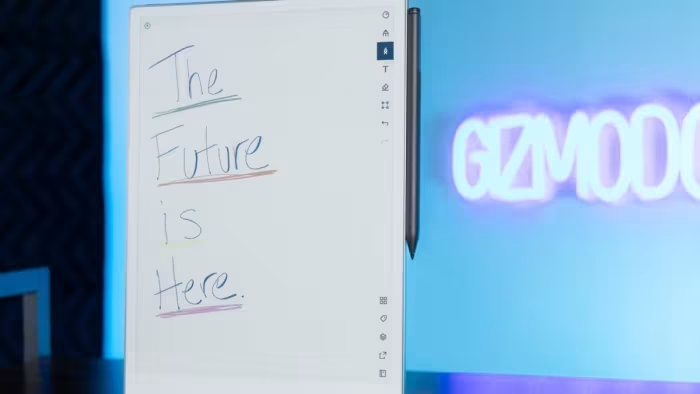
reMarkable Paper Pro
A premium, distraction-free digital writing tablet designed to mimic the tactile experience of pen on paper.
How This Score Is Calculated
- Sources analysed: 11 reviews
- Sentiment-only: 11 sources weighted 1.0×
- Raw weighted average: 7.8
- Final score: 7.8/10
- Most reviewed featureWriting Feel (11/11)
- Most praisedPaper-like tactile experience
- Most criticisedPremium price/accessories cost
- Reviewer consensus levelHigh
- Value for moneyOverpriced (4.2/10)
The reMarkable Paper Pro is widely considered the gold standard for digital note-taking, offering a tactile writing experience that is remarkably close to real paper. While reviewers praise its sleek, distraction-free interface and functional color display, the device is frequently flagged for its high price point and the added expense of necessary accessories. It is an ideal tool for professionals and dedicated writers who prioritize focus, though casual users may find the cost difficult to justify.
🔧 Key Specifications
- Display: Color E Ink Gallery display
- Build: 100% recycled aluminum
- Lighting: Built-in adjustable reading light
- Storage: Expanded internal storage
- Battery: Long-lasting
- Compatibility: Google Drive, Dropbox, OneDrive
💲 Price Range
Approximately ₹37,500 – ₹57,000 ($499 base)
📊 What Reviewers Say — Feature by Feature
Features evaluated across 11 sources.
👍 Key Strengths
- Unmatched paper-like writing feel
- Distraction-free, focused interface
- Premium aluminum build quality
- Useful cloud storage integrations
👎 Key Weaknesses
- Very high price point
- Expensive mandatory accessories
- Subscription-locked software features
- Slow screen refresh speeds
💰 Value for Money Analysis
Reviewers almost universally agree that the device is expensive, especially when factoring in the cost of the Type Folio and stylus. While the hardware quality is premium, the gating of features behind a subscription service adds to the perceived high cost of ownership.
⚡ Where Reviewers Disagreed
- Performance: Some reviewers praise the responsiveness of the new color display, while others highlight significant screen refresh limitations and general slowness compared to traditional tablets.
🎯 Who This Product Is For
🛠️ Best Use Cases
- Note-taking: Excellent for conferences and meetings due to the distraction-free interface.
- Sketching: High-quality feel makes it great for creative ideas, though grayscale precision has its limits.
- Focused Reading: The inclusion of an adjustable reading light makes it suitable for night reading.
🔀 Alternatives Mentioned by Reviewers
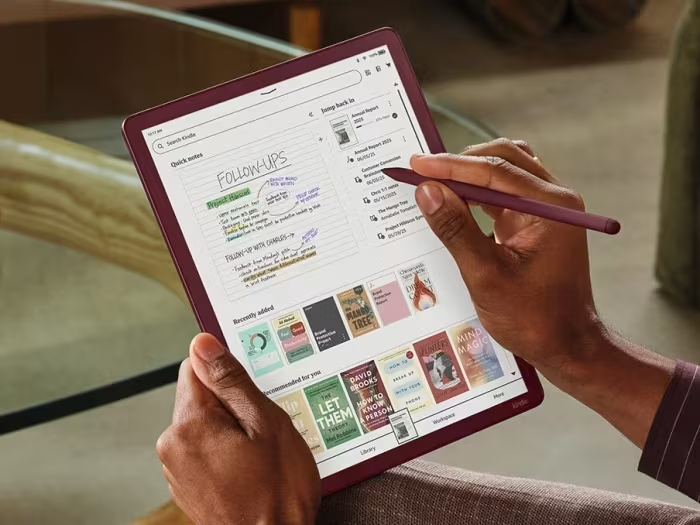
- Kindle Scribe Colorsoft — A larger 11-inch competitor with high-quality display and robust security features; reviewers note it is a strong alternative for those already in the Amazon ecosystem.
- BOOX Note Air4 C — Offers Android-based flexibility and more storage, making it a better choice for users who need a more versatile, app-heavy tablet experience.
- reMarkable 2 — The predecessor to the Pro; while it lacks color and a front light, it is still cited as a viable, albeit older, option for those on a budget.
🛒 Buyer's Guide
✅ Buy This If…
- You prioritize a distraction-free writing experience above all else.
- You want the best possible tactile paper-like feel on a digital device.
- You are a professional needing a structured way to organize notes.
❌ Skip This If…
- You are on a strict budget.
- You need a fast, multi-purpose tablet for web browsing or complex app use.
- You dislike subscription-based software models.
📈 Sentiment Trends Over Time
- Hardware Quality — Consistently praised as premium and durable throughout the review cycle.
The reMarkable Paper Pro stands out as the ultimate tool for focused, distraction-free writing, offering an unmatched tactile experience. While its high price and subscription model are significant drawbacks, the hardware refinement is undeniable. It is a must-have for dedicated writers, though casual users should consider cheaper alternatives.
Reviewer Perspectives & Source Breakdown
Review: reMarkable Paper Pro Move - techspective.net...
Price: approx. ₹37,800
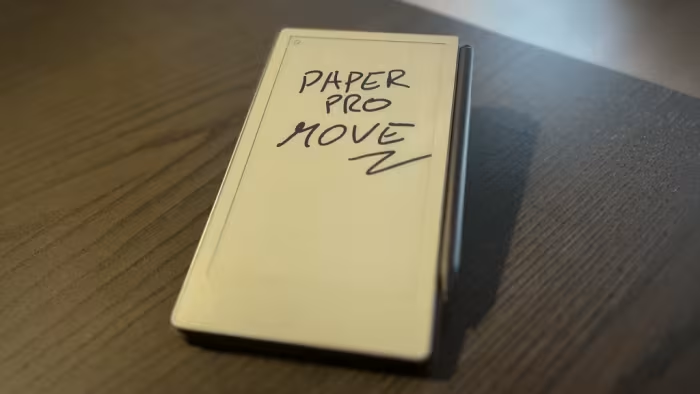
The reMarkable Paper Pro Move is a premium, distraction-free digital notebook that successfully replicates the tactile feel of paper. It serves as an essential, highly functional tool for those who prioritize organization, searchability, and seamless syncing of handwritten notes.
Pros
- Excellent paper-like writing experience
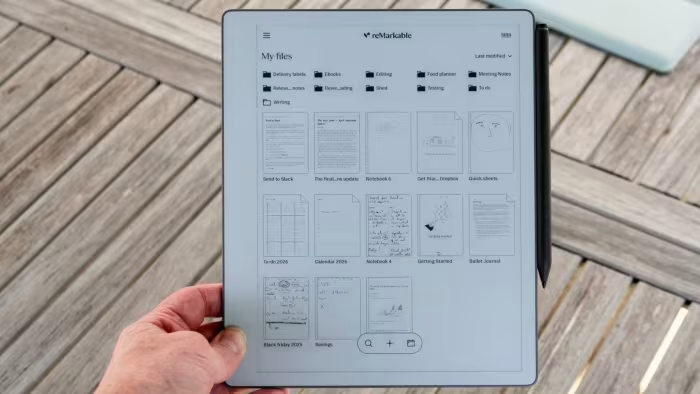
- Searchable handwritten notes and documents
- Distraction-free, focused interface
- Long battery life
- Extensive variety of templates
Cons
- Premium price point
- Accessories like Marker Plus are extra
- Requires subscription for some features
reMarkable Paper Pro review: More screen, more color, more perfection! |...
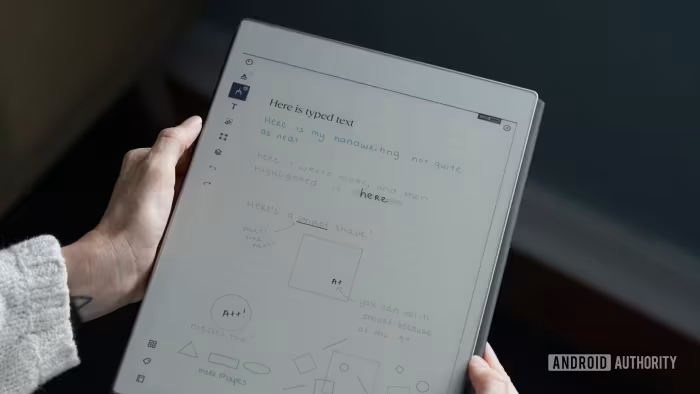
The reMarkable Paper Pro is a significant upgrade over the reMarkable 2, featuring a larger color display, a built-in reading light, and an improved writing experience. While it brings excellent hardware refinements, the increased weight and reduced grayscale bit depth make it a choice that depends on whether you prioritize color capabilities over professional sketching precision.
Pros
- Larger color e-ink display
- Built-in adjustable reading light
- Excellent writing and drawing experience
- Increased internal storage
- Premium build quality
- Supports keyboard attachment
- Long battery life
Cons
- Reduced grayscale bit depth
- Heavier than the previous model
- Price is higher
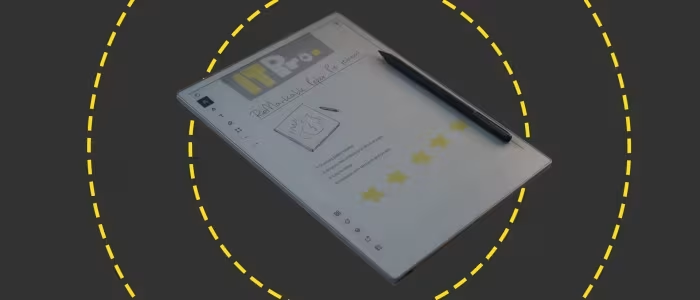
ReMarkable Paper Pro review | IT Pro - itpro.com...
Price: Approximately ₹48,800
The ReMarkable Paper Pro is an excellent, distraction-free digital notepad that perfectly simulates the feel of pen on paper. While its premium price and limited integrations may be drawbacks, it is a highly effective tool for focused productivity and note-taking.
Pros
- Paper-like writing feel
- Colorful 'gallery' display
- Long battery life
Cons
- Limited software integrations
- Expensive price point
- Awkward file import process
Amazon's Kindle Scribe Colorsoft wants to take on the reMarkable Paper P...
Price: ₹53,000 - ₹57,000
The Kindle Scribe Colorsoft brings a versatile 11-inch color E Ink display to Amazon's largest e-reader series. It balances a high-quality paper-like writing experience with enhanced security features and long battery life.
Pros
- Large 11-inch Colorsoft display
- Paper-like writing experience
- Includes battery-free Premium Pen
- Robust data encryption and security
- Long battery life for reading
Cons
- Lower color resolution compared to B&W
- Shorter battery life when used for writing
reMarkable Paper Pro Move review: the tablet of my dreams, but maybe not...
Price: Approximately ₹37,500
The reMarkable Paper Pro Move is an exceptional, distraction-free writing tablet that delivers a premium, paper-like experience in a highly portable form factor. While it lacks advanced features and has poor AI handwriting recognition, its refined design makes it the ultimate digital notebook for dedicated writers.
Pros
- Perfect, highly portable size for on-the-go writing
- Retains color and top features of the Paper Pro
- Best writing experience available on any tablet
Cons
- Restrained software lacks many features
- AI handwriting recognition is performatively poor
- Subscription fee is frustrating given the high price
remarkable paper pure brilliantly simple ProsCons...
The best digital note taker around, combining great hardware with mature, slick software
Pros
- Responsive, clear display
- Paper and pen-like feel
- Flexible, useful software
Cons
- No front light
- No colour
- Some features are locked behind a subscription
remarkable paper pro move review the gold standard ProsCons...
The reMarkable Paper Pro Move blends just the right amount of old and new to create a blissful writing experience backed up by cross-app functionality to take it beyond it's original niche.
Pros
- Feels amazing to write on
- Compatible with Drive for document editing
- Multi-functional
- Premium look and feel
Cons
- Expensive with accessories
remarkable paper pro move review a small e ink tablet that feels like re...
The Remarkable Paper Pro Move is a compact, impressive e-ink tablet with a color display and long-lasting battery that imitates the feel of real paper almost perfectly—it’s ideal for writing, reading and sketching. It was developed for concentrated, distraction-free work and impresses with precise handwriting-to-text recognition, although it could do with some fine-tuning for several languages. Particularly practical: a double tap with two fingers deletes small errors in the blink of an eye. The format of the Paper Pro Move is more compact than I would like. But that is of course a matter of taste.At a price of $499, the Remarkable Paper Pro Move is no bargain, but it’s a clear recommendation for frequent writers looking for a digital notebook with a real paper feel.
Pros
- Very long battery life
- Feels like writing on paper
- Cloud storage & synchronization
- E-ink display with colors and touch functionality
- Concentration-enhancing work without distraction
- Handwriting is precisely converted into text
- Smooth use on multiple devices
Cons
- High price
- Handwriting conversion only in the set language
remarkable paper pro move review like no other notebook ProsCons...
Highlights
- The reMarkable Paper Pro Move is a lightweight, portable e-paper device with a 9:16 aspect ratio, designed for enhanced note-taking and reading experiences.
- Its design emphasizes sustainability, featuring 100% recycled aluminum materials, improved repairability, and a 10-year support commitment.
- The Canvas Color Display with Gallery E Ink technology offers improved brightness and clarity but suffers from screen refresh limitations, impacting responsiveness and versatility.
- While the device excels in note-taking and casual reading, its format adaptability is limited, particularly for PDFs and landscape-oriented documents.
- Accessories like leather and fabric covers complement the device, but challenges such as bundled pen restrictions and ergonomic concerns with prolonged use remain areas for improvement.
Page 1 of 2