NZXT H2 Flow Review

NZXT H2 Flow
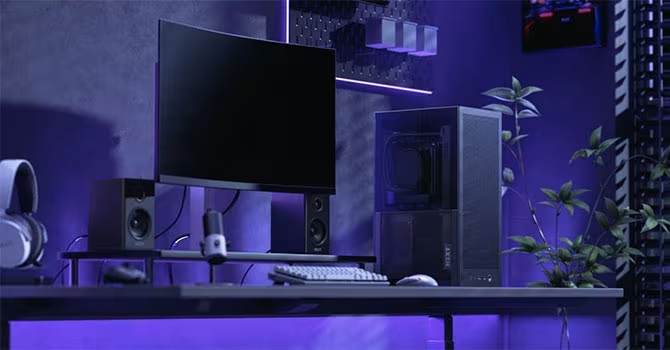
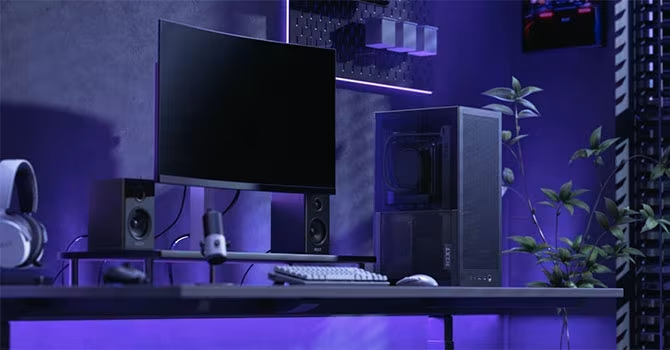
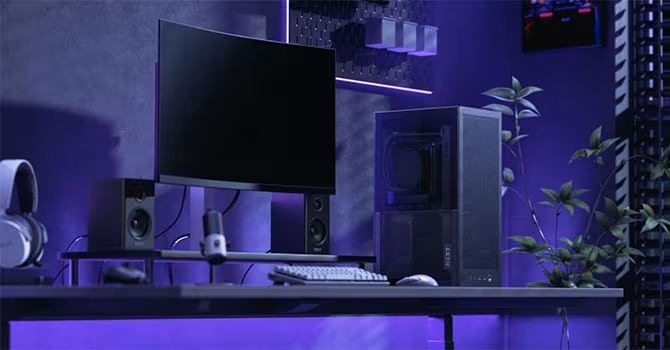
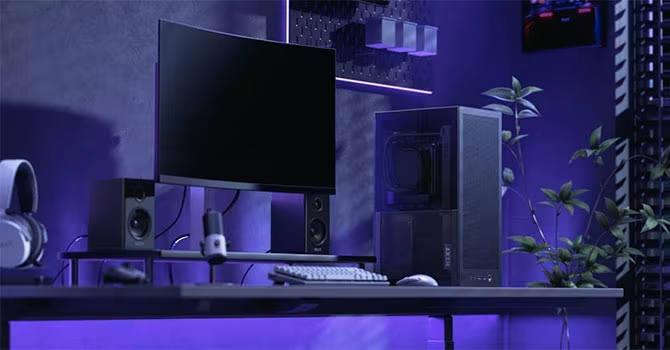
A compact, vertically oriented Mini-ITX chassis designed to balance high-end component compatibility with efficient thermal performance.
How This Score Is Calculated
- Sources analysed: 14 reviews
- Sentiment-only: 14 sources (weighted 1.0×)
- Split: 10 Positive · 3 Mixed · 1 Negative
- Raw weighted average: 7.6/10
- Formula: Σ(score × weight) ÷ Σ(weight)
- Consensus bonus +0.3: High agreement on thermal performance
- Final score: 7.6/10 (clamped, rounded to 1 decimal)
- Most reviewed featureAirflow/Thermals (14/14)
- Most praisedCompact/Vertical Design
- Most criticisedCramped Cable Management
- Reviewer consensus levelHigh
- Value for moneyGood Value (7.5/10)
The NZXT H2 Flow is a refined, vertical Mini-ITX chassis that successfully improves upon the legacy of the H1 by prioritizing maximum ventilation and component flexibility. It excels at housing powerful hardware in a tiny 20.7-litre footprint, featuring a high-quality PCIe 5.0 riser cable and excellent thermal performance. While it remains a challenge to build in due to tight cable routing and restrictive clearance for specific GPU sizes, it is a sophisticated choice for space-conscious enthusiasts.
🔧 Key Specifications
- Form Factor: Mini-ITX (Vertical)
- Volume: 20.7 Litres
- Cooler Clearance: 75mm (Air cooler)
- AIO Support: Up to 280mm
- GPU Support: Triple-slot (Max 13-inch length)
- Included Riser: PCIe 5.0
- PSU Support: SFX only
- Build Material: Steel
💲 Price Range
₹12,500 – ₹14,000
Prices sourced from reviews. Check current retailer pricing.
📊 What Reviewers Say — Feature by Feature
14 features evaluated across 14 sources.
👍 Key Strengths
- Excellent thermal performance and airflow
- High-quality PCIe 5.0 riser included
- Compact, space-saving vertical footprint
- Supports 280mm liquid cooling AIOs
- Straightforward tool-less panel removal
👎 Key Weaknesses
- Cramped and difficult cable management
- Lack of integrated dust filters
- Limited GPU clearance for thicker cards
- Included fans are not retail-grade
- Tight access to PCIe latches
💰 Value for Money Analysis
Reviewers view the H2 Flow as a competitive offering, particularly because it bundles a high-quality PCIe 5.0 riser cable. While priced higher than some basic ITX enclosures, it is considered more affordable than boutique alternatives like the Fractal Design Terra.
14 of 14 sources commented on price or value.
⚡ Where Reviewers Disagreed
The following areas saw meaningful disagreement across sources.
- Build Quality: 11 sources praised the sturdy steel construction, while 1 source reported noticeable motherboard tray flex and weak panels, indicating potential variance in user experience.
🎯 Who This Product Is For
🛠️ Best Use Cases
- High-End Gaming Excellent thermal management allows for powerful GPUs and CPUs in a small space. Great
- Space-Constrained Desk Setups The vertical footprint is highly effective at freeing up desk space. Great
🔀 Alternatives Mentioned by Reviewers
- Fractal Design Terra — Often cited as a direct alternative, it is noted as being more expensive than the H2 Flow but with a different aesthetic focus. Choose this if you prefer a 'sandwich' style with a more premium, boutique look.
- NZXT H1 — The predecessor to the H2 Flow. While the H2 Flow is widely considered an improvement in ventilation and component compatibility, the H1 remains a point of comparison for those looking at the evolution of NZXT's SFF lineup.
- NZXT H3 Flow — Mentioned as a larger, more traditional mid-tower alternative. Choose the H2 Flow instead if your absolute priority is a smaller, vertical footprint.
🛒 Buyer's Guide
✅ Buy This If…
- You need a high-performance system in a minimal footprint.
- You plan to use a 280mm AIO liquid cooler.
- You value excellent thermal airflow above all else in an SFF case.
❌ Skip This If…
- You are a first-time builder who finds cable management daunting.
- You require support for 3.5-slot thick graphics cards.
- You need a case with integrated dust filtration.
⚠️ Things to Check Before Buying
- Ensure your GPU is no thicker than triple-slot and fits within the 13-inch length limit.
- Verify your AIO tubing length, as routing can be difficult in this vertical orientation.
- Be prepared to replace the included fans if you prioritize retail-grade silence and PWM control.
📈 Sentiment Trends Over Time
Reviews confirm a clear shift from the older NZXT H1 design.
- Thermal Performance — The H2 Flow’s focus on perforated panels is widely seen as a significant improvement over the restricted airflow of the original H1.
The NZXT H2 Flow is a highly effective, modern SFF chassis that excels at thermal management and hardware compatibility. While it presents challenges in cable routing and requires careful component planning, its vertical design and PCIe 5.0 inclusion make it a standout in the compact market. Enthusiasts who can manage the build complexity will find it to be an excellent, stylish home for powerful components.
Reviewer Perspectives & Source Breakdown
NZXT H2 Flow Review - Noise Testing | TechPowerUp - techpowerup.com...
A highly impressive AIO cooling solution that delivers excellent thermal performance.
Pros
- Very impressive thermal performance
- High build quality
Cons
NZXT H2 Flow Review - A Closer Look - Inside | TechPowerUp - techpowerup...
The NZXT H2 Flow is a well-designed ITX case that prioritizes standard component compatibility and cooling performance. While it offers excellent build quality, minor improvements to cable management options would have made it even better.
Pros
- Supports standard off-the-shelf components
- Excellent front-intake cooling arrangement
- PCIe 5.0 riser cable included
- Tool-free drive installation
- Easy to remove panels
Cons
- Limited cable management hooks
- Included fan splitter adds unnecessary clutter
- Missed opportunity for slightly wider GPU support
NZXT H2 Flow Review - Value & Conclusion | TechPowerUp - techpowerup.com...
Price: Approximately ₹12,500
The NZXT H2 Flow is a highly capable SFF chassis that offers impressive thermal performance and a unique aesthetic design. While it faces some cable management challenges and questionable marketing regarding included fans, it remains a recommended choice due to its high-quality bundled PCIe 5.0 riser.
Pros
- Very good performance for an SFF chassis
- Easy access to the interior
- PCIe 5.0 riser cable included
- Fits 280 mm AIO liquid coolers
- Accommodates triple-slot GPUs
Cons
- Included fans are not retail-grade quality
- Excessively long fan wiring
- Limited internal cable management hooks
- Difficult GPU locking mechanism
- Lacks a reset button
NZXT H2 Flow Review - Assembly & Finished Looks | TechPowerUp - techpowe...
The NZXT H2 Flow is a well-designed chassis that facilitates easy component installation and offers great airflow. While some cable management and GPU removal can be tricky, the case's aesthetic and thermal performance make it a solid choice.
Pros
- Straightforward motherboard and PSU installation
- Quick tool-less SSD installation
- Excellent airflow and exterior access for GPU
- Tinted window effectively hides internal cable clutter
Cons
- Difficult cable routing due to ATX cable comb
- Tricky GPU removal due to tight latch positioning
- Bulky AIO cabling is hard to hide cleanly
- SSD cage drives lack secure locking mechanism
NZXT H2 Flow Review - A Closer Look - Outside | TechPowerUp - techpoweru...
The NZXT H2 Flow is a highly ventilated, compact SFX sandwich-style chassis that effectively manages thermals. While its construction and design are strong, the included non-PWM fans are disappointing and deceptive in their marketing.
Pros
- Excellent ventilation through perforated panels
- Compact and space-efficient sandwich layout
- Sturdy construction without plastic components
- Convenient external cable management hooks
Cons
- Included fans are inferior to retail models
- Fans do not support PWM
- Lack of included Velcro strips for cabling
NZXT H2 Flow Review: A Mini-ITX Skyscraper for Big GPUs | PCMag - pcmag....
Price: Approximately ₹12,600
The NZXT H2 Flow is a compact, vertically oriented mid-tower that successfully manages to fit high-end hardware into a small footprint. While it demands specific, pricier components like Mini-ITX boards and SFX power supplies, it offers an excellent space-saving design for powerful gaming builds.
Pros
- Relatively cool and quiet operation
- Compact footprint fits on most desks
- Accommodates up to 13-inch triple-slot graphics cards
Cons
- High price point
- Lacks dust filters
- No support for 360mm radiators
- Does not fit 3.5-slot graphics cards
NZXT H2 Flow PC Case Review | KitGuru - kitguru.net...
Price: Approx. 14,000 INR
The NZXT H2 Flow offers a compact footprint and reliable cooling performance, but falls short due to restrictive GPU compatibility and build quality concerns. While it improves upon its predecessor, these compromises make it difficult to fully recommend.
Pros
- Compact and space-saving footprint
- Solid cooling support for 280mm AIOs
- Straightforward system installation process
Cons
- Restrictive maximum graphics card length
- Noticeable motherboard tray flex and weak panels
- Inadequate cable management Velcro straps
- Awkward PCIe latch access for GPU removal
NZXT H2 Flow Review | TechPowerUp - techpowerup.com...
The NZXT H2 Flow is a long-awaited follow-up to the original H1 that successfully revitalizes NZXT's SFF ITX chassis lineup. It features a refined design and improved build quality that addresses historical concerns with previous small form factor attempts.
Pros
- Refined SFF ITX chassis design
- Improved build quality and materials
- Modernized PCIe riser cable technology
Cons
- Limited CPU cooler clearance of 75mm
- No rear exhaust fan support
NZXT H2 Flow PC Case Review - CGMagazine - cgmagonline.com...
Price: approx. ₹12,500
The NZXT H2 Flow is a solid, stylish, and highly versatile ITX case that offers excellent airflow for its size. While cable management is quite cramped, it remains an impressive choice for compact builds.
Pros
- Clean, minimalist aesthetic
- Solid steel construction
- Excellent airflow performance
- Supports large GPUs and AIO coolers
Cons
- Cramped cable management
- Limited internal space
- Difficult to route cables during build
Page 1 of 2