Lenovo ThinkPad P14s Review
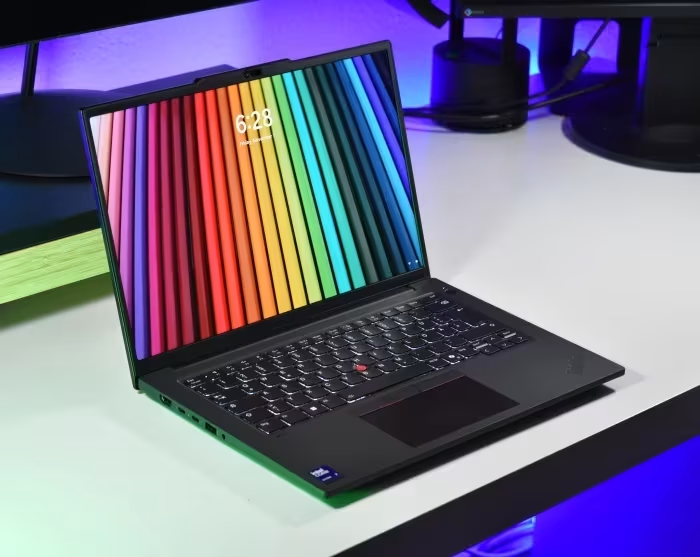
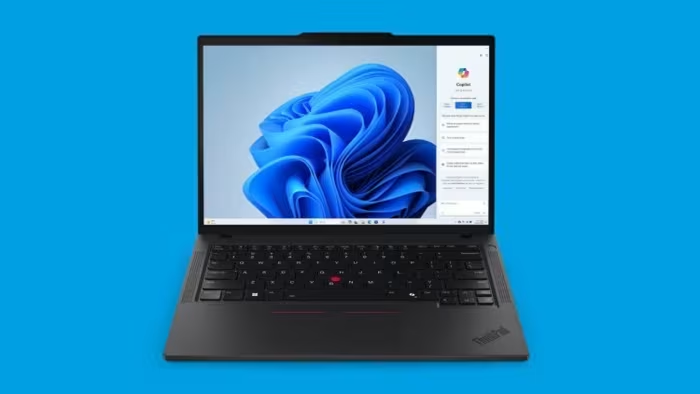
Lenovo ThinkPad P14s
A professional-grade 14-inch mobile workstation series by Lenovo, balancing portable business laptop convenience with ISV-certified hardware.
How This Score Is Calculated
- Sources analysed: 14 reviews
- Explicit scores: 9 sources (weighted 1.5×)
- Sentiment-only: 5 sources (weighted 1.0×)
- Split: 9 Positive · 4 Mixed · 1 Negative
- Raw weighted average: 7.2
- Formula: Σ(score × weight) ÷ Σ(weight)
- Review period: Gen 1 through Gen 6
- Final score: 7.2/10 (clamped, rounded to 1 decimal)
Algorithmically calculated from source data. No manual adjustments.
- Most reviewed featureBuild Quality (11/14)
- Most praisedKeyboard
- Most criticisedBattery Life
- Reviewer consensus levelModerate
- Value for moneyGood Value (7.1/10)
The Lenovo ThinkPad P14s is a versatile, professional-grade mobile workstation that bridges the gap between standard business ultrabooks and heavy-duty desktop replacements. While praised for its industry-leading keyboard, robust build quality, and essential connectivity—including physical RJ45 ports—it often struggles with thermal management and inconsistent battery life depending on the display panel chosen. It serves best as a highly portable ISV-certified machine for CAD and BIM professionals, though some generations struggle to justify their premium over standard ThinkPad T-series models.
🔧 Key Specifications
Specifications sourced from reviewer mentions. Verify with manufacturer for complete details.
- Processor: Intel Core Ultra / AMD Ryzen PRO / Intel Tiger Lake (varies by Gen)
- RAM: Up to 96GB (Dual SO-DIMM in later Gens)
- Display: 14-inch to 14.5-inch (IPS/OLED options, up to 3K 120Hz)
- Battery: Varies; often criticized for OLED power drain
- Charging: USB-C PD
- Main Camera: Average quality across generations
- OS: Windows 10/11 Pro
- 5G: Optional (varies by generation)
- Wi-Fi: Wi-Fi 6E/6
- NFC: Included on many models
- USB: Thunderbolt 4 / USB4 / USB-A
- IP Rating: Military-grade durability/spill-resistant
- Build Materials: Aluminum/Plastic composite
💲 Price Range
₹1,03,600 to ₹2,40,000
Prices sourced from reviews. Check current retailer pricing.
📊 What Reviewers Say — Feature by Feature
14 features evaluated across 14 sources.
👍 Key Strengths
- Industry-leading keyboard and input devices
- Robust, professional-grade build quality
- Excellent port selection including RJ45
- ISV-certified performance for CAD/BIM
- Highly portable 14-inch form factor
👎 Key Weaknesses
- Battery life varies significantly (OLED drain)
- Occasional thermal throttling under load
- Entry-level displays lack color accuracy
- No SD card slot on many models
- Heavier than competing ultrabooks
💰 Value for Money Analysis
Reviewers generally view the P14s as a solid investment for professional use, though they note it often competes with the standard T14 series, which can offer similar performance for a lower price. Prices span a wide bracket, with newer 'Gen' models commanding a significant premium over older or base-spec variants.
11 of 14 sources commented on price or value.
⚡ Where Reviewers Disagreed
The following areas saw meaningful disagreement across sources.
- Workstation Credibility: 5 sources praise the ISV-certified performance, while 2 sources argue it is a 'workstation in name only' due to integrated GPU limitations. Disagreement stems from whether the user requires heavy rendering power or just ISV certification for CAD stability.
🎯 Who This Product Is For
Reviewer recommendations for different target audiences and use cases.
🛠️ Best Use Cases
- Mobile EngineeringGreat for field work due to portability and ISV certifications.Great
- Office ProductivityKeyboard and port selection excel for daily document and spreadsheet tasks.Great
- 3D RenderingPerformance is often too limited by integrated graphics or thermal throttling.Poor
🔀 Alternatives Mentioned by Reviewers
Maximise this list. Include EVERY single competitor, rival, or alternative product mentioned in any of the source reviews. Do not omit any. More alternatives and longer lists are better.
- Lenovo ThinkPad T14 / T14s — Often cited as the cheaper, standard-issue alternative that offers similar performance without the 'workstation' premium. Choose this if you don't need ISV certification.
- HP ZBook Firefly 14 (G7-G11) — The most direct competitor in the portable workstation space. Reviewers often compare build quality and thermal management directly between these two.
- Dell Precision 5490 — A premium alternative often cited for its high-end build and performance, though it typically carries a higher price tag.
- HP ZBook Ultra G1a 14 — Mentioned as a 'true' 14-inch workstation that provides more power than the P14s for users requiring heavy compute.
- Lenovo ThinkPad X9 14 Aura Edition — Recommended as a better choice if you want a premium, modern ultraportable experience over a workstation chassis.
Alternatives sourced exclusively from reviewer mentions.
🛒 Buyer's Guide
✅ Buy This If…
- You need an ISV-certified machine for professional engineering software.
- You value physical connectivity like RJ45 Ethernet in a portable chassis.
- You want the legendary ThinkPad typing experience for heavy document work.
❌ Skip This If…
- You do heavy GPU rendering (look for P16 models instead).
- You are a general user who can save money with the standard T14 model.
- You need long battery life with a high-resolution OLED screen.
⚠️ Things to Check Before Buying
- Check the display panel specs; base panels are often average, while OLEDs drain battery.
- Verify if the specific generation supports user-replaceable RAM, as some models have soldered memory.
- Confirm if your specific CAD application requires the ISV certification provided by the Quadro/RTX GPU.
📈 Sentiment Trends Over Time
Reviews span Gen 1 through Gen 6. The following changes were detected:
- Performance — Newer generations (Gen 6 with Arrow Lake) have shown significant improvements in thermal efficiency and compute power.
- Portability — Newer chassis designs have become slightly heavier and thicker than initial marketing specs suggested.
The Lenovo ThinkPad P14s remains a reliable, if occasionally unexciting, workhorse that succeeds in providing a portable, ISV-certified environment for professionals. Its strength lies in its keyboard, build, and port variety, making it a safe choice for corporate and engineering environments. However, buyers should be wary of the diminishing returns compared to the cheaper T14 series and the battery impact of high-end display options. For most, it is a solid 7/10 performer that does exactly what it promises.
Top Alternative: Lenovo ThinkPad T14 — Choose this for a better value proposition if you don't strictly require ISV-certified GPU drivers.
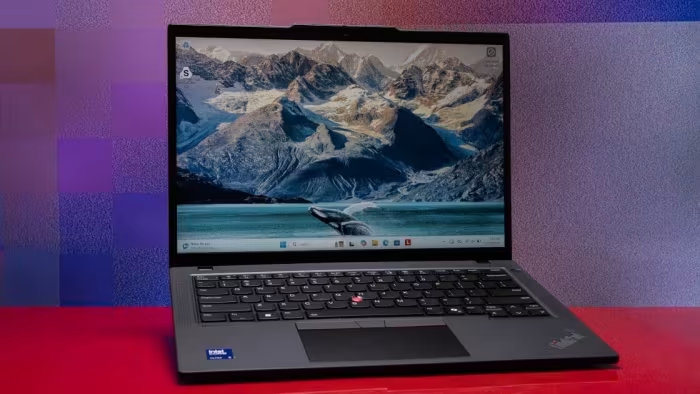
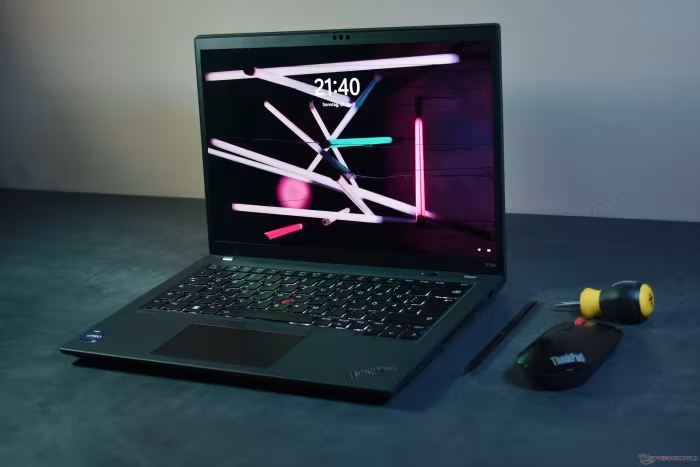
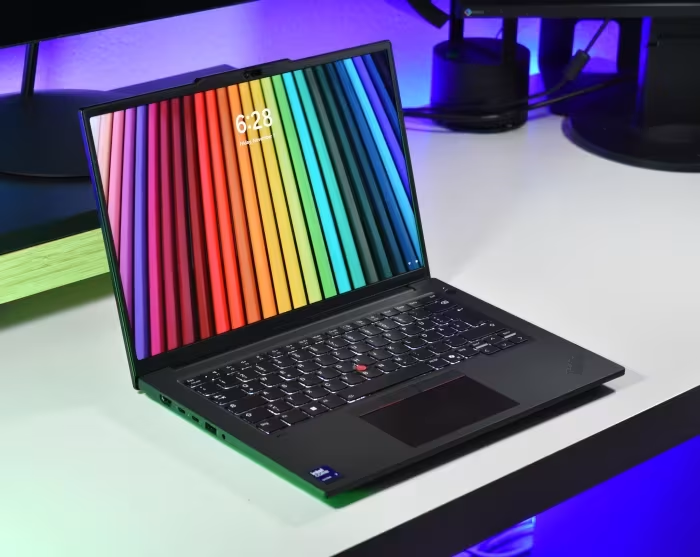
Reviewer Perspectives & Source Breakdown
Review: Lenovo ThinkPad P14s Gen 5 (AMD) - DEVELOP3D - develop3d.com...
Price: approx. ₹1,27,000
The ThinkPad P14s Gen 5 is an exceptionally serviceable mobile workstation that prioritizes repairability alongside reliable performance for CAD and BIM tasks. Its user-friendly design and robust build quality make it a standout choice for those valuing longevity and ease of maintenance.
Pros
- Exceptional serviceability and repairability
- Customer-replaceable components including RAM and SSD
- Compact and lightweight design
- Top-loading keyboard design
Cons
- Lower performance compared to 45W alternatives
- Integrated GPU limits heavy rendering tasks
- Base display is solid but not remarkable
Lenovo ThinkPad P14s Gen 1 laptop Review: Low-end workstation with high-...
Price: 1500 Euro (approx. INR 1,35,000)
The ThinkPad P14s Gen 1 is a reliable, portable workstation designed for CAD professionals, offering solid performance in a familiar 14-inch chassis. It essentially repackages the T14 Intel design with an ISV-certified Quadro GPU for specific professional certification needs.
Pros
- ISV-certified Quadro GPU for professional CAD applications
- High-quality, bright Full HD Low Power display
- Excellent build quality and familiar, ergonomic design
- Good port selection including Thunderbolt support
Cons
- Relatively high response times on the display
- Performance limited by 15-watt class U-CPUs
- Identical design to cheaper standard T14 models
Lenovo ThinkPad P14s Gen 2 laptop in review: Compact workstation with ne...
Price: INR 103,600
The ThinkPad P14s Gen 2 offers strong performance and improved connectivity with Thunderbolt 4 support. While it retains the excellent keyboard and build quality of its predecessors, it is hampered by a mediocre webcam.
Pros
- Excellent typing experience with classic keyboard
- Solid and robust construction
- Includes Thunderbolt 4 support
- Good screen brightness and contrast
- Replaceable RAM and SSD modules
Cons
- Poor webcam image quality
- USB-C port blocked when power adapter is connected
- MicroSD card reader limited to UHS-I speeds
Lenovo ThinkPad P14s Gen 1 Laptop Review: AMD workstation sans dedicated...
Price: 1478 Euro
The Lenovo ThinkPad P14s Gen 1 AMD is a compact and efficient ultrabook workstation that offers strong performance and good battery life. While its ePrivacy screen lacks some promised brightness, it performs well without the PWM flickering found in competitors.
Pros
- Efficient AMD Ryzen Pro processor performance
- High-quality display with no PWM flickering
- Compact and lightweight chassis design
- Excellent battery life for a workstation
- Comfortable input devices and keyboard
Cons
- Screen brightness falls below manufacturer claims
- PrivacyGuard display has limited viewing angles
- Not a traditional high-power workstation
Lenovo ThinkPad P14s G3 AMD laptop review: Lightweight workstation witho...
Price: INR 103,600
The Lenovo ThinkPad P14s G3 AMD is a rare 14-inch mobile workstation that offers solid performance and excellent connectivity, including an RJ45 port. While it lacks Thunderbolt support and suffers from inconsistent display panel sourcing, it remains a capable productivity tool.
Pros
- Rare 14-inch mobile workstation form factor
- Includes physical RJ45 Ethernet port
- Solid performance from AMD Ryzen 7 PRO
- Bright and accurate low-power display option
- Good input devices and keyboard
Cons
- No USB4 or Thunderbolt support
- No SD card slot included
- Inconsistent display panel quality across units
- Wi-Fi connection can be unstable
Lenovo ThinkPad P14s G4 AMD review: fast, portable, straightforward - No...
Price: Approximately ₹1,58,000
The ThinkPad P14s is a robust and versatile laptop that excels in computing power, battery life, and durability. It is an excellent choice for professionals and general users alike, though it suffers from slow Wi-Fi transmit speeds.
Pros
- Robust and high-quality build
- Strong computing power
- Practical long battery life
- Includes useful ports like LAN and USB4
Cons
- Slow Wi-Fi transmission performance
- Soldered RAM and Wi-Fi modules
- Only one fast USB-C port
Lenovo ThinkPad P14s G5 laptop review - The mobile workstation now with ...
Price: Approximately ₹1,75,000 to ₹2,25,000
The ThinkPad P14s G5 is a robust and reliable mobile workstation with a new 14.5-inch display and excellent build quality. While it is heavier than advertised and lacks an SD card reader, it offers great performance and connectivity options.
Pros
- Excellent build quality and stability
- High-quality 14.5-inch 3K display
- Great connectivity with Thunderbolt 4 and USB-A
- Good performance from Intel Core Ultra 7 processor
- Reliable Wi-Fi 6E connectivity
Cons
- Heavier and thicker than official specifications claim
- No SD card reader included
- Susceptible to fingerprint smudges
- Base unit produces occasional creaking noises
- Lacks Wi-Fi 7 support
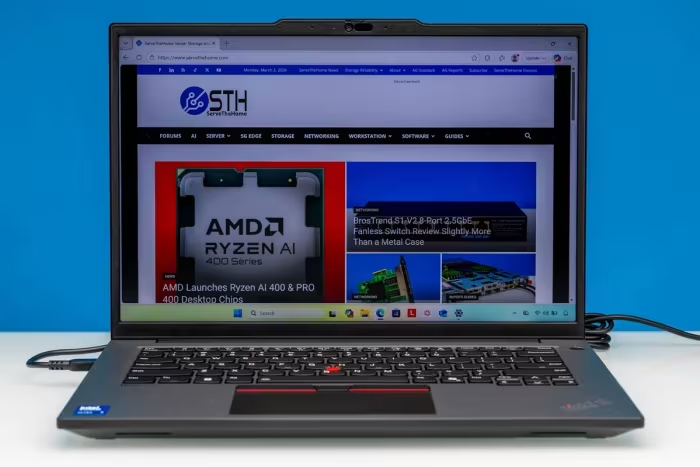
Lenovo ThinkPad P14s Gen 6 (Intel) Review - ServeTheHome - servethehome....
The Lenovo ThinkPad P14s Gen 6 is a robust, professional-grade mobile workstation that balances performance with portability. It features a durable design, versatile I/O options including wired Ethernet, and a reliable keyboard, making it a strong choice for corporate users.
Pros
- Durable, professional ThinkPad build quality
- Excellent variety of I/O ports
- Includes physical RJ45 Ethernet port
- High-quality 16:10 display options
- Supports professional NVIDIA RTX discrete GPU
Cons
- Entry-level display panels have poor color gamut
- Ethernet speed limited to 1GbE
- Heavier than typical ultraportable laptops
Massive improvements thanks to Intel Arrow Lake: Lenovo ThinkPad P14s Ge...
Price: Approx. ₹1,16,000 to ₹2,35,000
The ThinkPad P14s Gen 6 is a refined workstation that improves on its predecessor with better efficiency and performance from Arrow Lake CPUs and Blackwell GPUs. While it retains some minor shortcomings like a lack of 5G and SD card support, it remains a strong, well-built contender in the market.
Pros
- Cooler and quieter operation
- Longer battery life
- Robust design
- Improved performance
- Dual SO-DIMM slots for up to 96GB RAM
- Brighter 3K 120Hz VRR screen
- Comfortable input devices
- Good speakers
Cons
- Lack of 5G / WWAN support
- No SD card slot
- Throttling in battery mode
- Keyboard is not user-replaceable
Page 1 of 2