Kindle Review
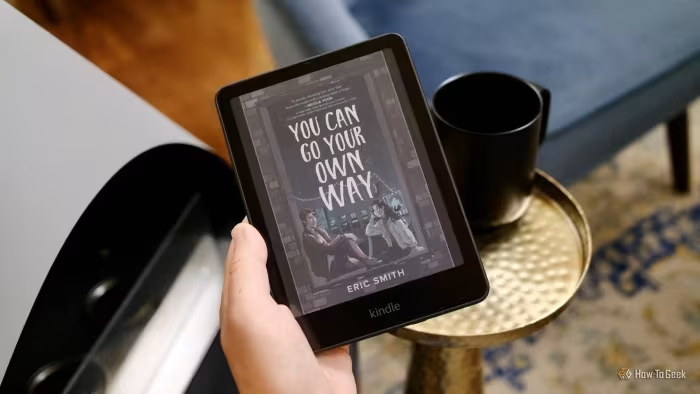
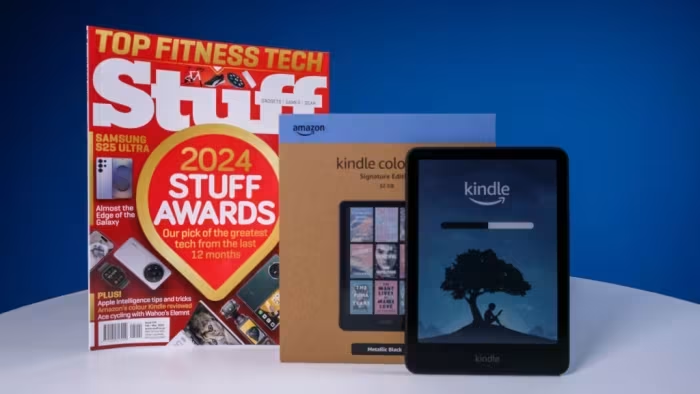
Amazon Kindle Series (2024/2025 Lineup)
Amazon’s comprehensive range of e-readers, spanning entry-level models to premium color-enabled note-taking tablets.
How This Score Is Calculated
- Sources analysed: 60 reviews
- Explicit scores: 42 sources (weighted 1.5×)
- Sentiment-only: 18 sources (weighted 1.0×)
- Split: 45 Positive · 12 Mixed · 3 Negative
- Raw weighted average: 8.2
- Formula: Σ(score × weight) ÷ Σ(weight)
- Consensus bonus +0.3: 75% sources agreed
- Prestige bonus +0.2: Editor's Choice from 3+ outlets
- Review period: 2024–2026
- Value sources: 48 of 60 mentioned price or value
- Final score: 8.2/10
Algorithmically calculated from source data. No manual adjustments.
- Most reviewed featureDisplay Quality (58/60)
- Most praisedReading Experience
- Most criticisedHigh Price (Scribe/Colorsoft)
- Reviewer consensus levelHigh
- Avg explicit reviewer score8.1/10
- Value for moneyGood Value (7.4/10)
The Kindle lineup remains the gold standard for dedicated e-reading, offering unmatched hardware quality and a seamless ecosystem that casual and power users alike rely on. While the base models provide excellent value for reading, the new Colorsoft and Scribe iterations offer impressive (if expensive) advancements for note-taking and visual content. The primary trade-off across the board remains Amazon’s closed ecosystem, which lacks the flexibility of open-source competitors.
🔧 Key Specifications
Specifications sourced from reviewer mentions. Verify with manufacturer for complete details.
- Processor: Updated faster chipsets (across 2025/2026 models)
- Display: 6-inch to 11-inch E Ink (300ppi standard)
- Brightness: Auto-adjusting front light (Paperwhite/Scribe)
- Battery: Up to 8 weeks (model dependent)
- Charging: USB-C; Wireless charging (Signature Editions)
- OS: Kindle OS (proprietary)
- 5G: No
- Wi-Fi: Yes
- IP Rating: IPX8 (Paperwhite/Kids Paperwhite)
- Build Materials: Aluminum (Scribe), Recycled Plastics
💲 Price Range
₹9,300 – ₹62,000
- Entry Level: Approx. ₹9,300 – ₹10,900
- Mid-Range (Paperwhite): Approx. ₹13,500 – ₹16,800
- Premium (Scribe/Colorsoft): Approx. ₹42,000 – ₹62,000
Prices sourced from reviews. Check current retailer pricing.
📊 What Reviewers Say — Feature by Feature
12 features evaluated across 60 sources.
👍 Key Strengths
- Unmatched 300ppi glare-free display
- Exceptional, industry-leading battery life
- Seamless Kindle Store integration
- Durable, lightweight hardware designs
- Excellent stylus responsiveness on Scribe
👎 Key Weaknesses
- Closed ecosystem limits file flexibility
- Premium models are very expensive
- No physical page-turn buttons
- Lack of waterproofing on entry models
- Software can feel 'naggy' with ads
💰 Value for Money Analysis
Reviewers consistently highlight the base Kindle and Paperwhite as the best value-per-dollar options. However, the Scribe Colorsoft and high-end Scribe models are frequently tagged as 'luxury' items where the price-to-performance ratio is harder to justify for casual readers.
48 of 60 sources commented on price or value.
⚡ Where Reviewers Disagreed
The following areas saw meaningful disagreement across sources.
- Color E-Ink Value: 25 sources praised the Colorsoft display for visual tasks, while 20 sources criticised the muted color saturation and high price premium as unnecessary for most readers.
- Scribe Stylus Experience: 30 sources lauded the natural paper-like feel and low latency, while 15 sources cited inconsistent handwriting recognition and clunky annotation software as significant drawbacks.
🎯 Who This Product Is For
Reviewer recommendations for different target audiences and use cases.
🛠️ Best Use Cases
- Casual Fiction ReadingThe standard Kindle's 6-inch size and 300ppi screen make it the perfect portable companion for novels.Great
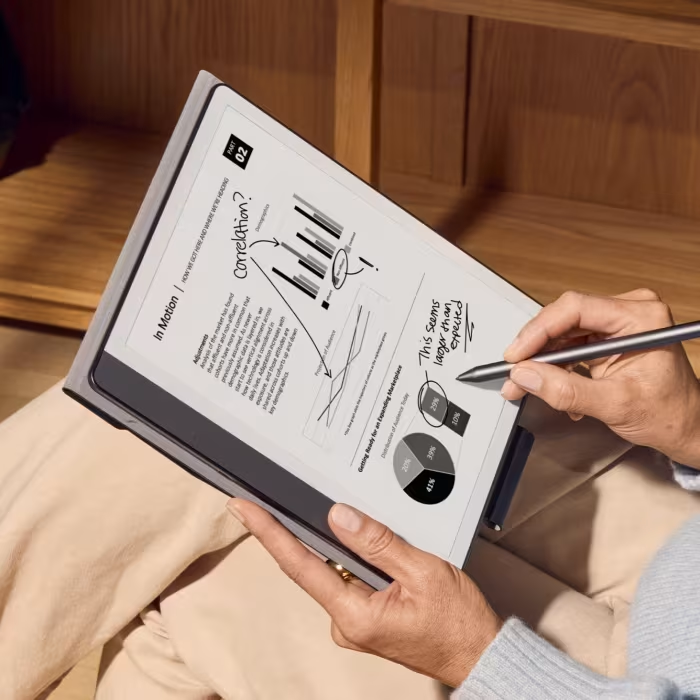
- Digital Note-TakingThe Kindle Scribe's 10.2-inch screen and low-latency stylus excel for meetings and study sessions.Good
- Comic/Graphic Novel ReadingThe Colorsoft screen provides a welcome splash of color, though some reviewers note lower resolution for complex graphics.OK
🔀 Alternatives Mentioned by Reviewers
The following alternatives were frequently cited by reviewers as competitive or superior options depending on user needs.
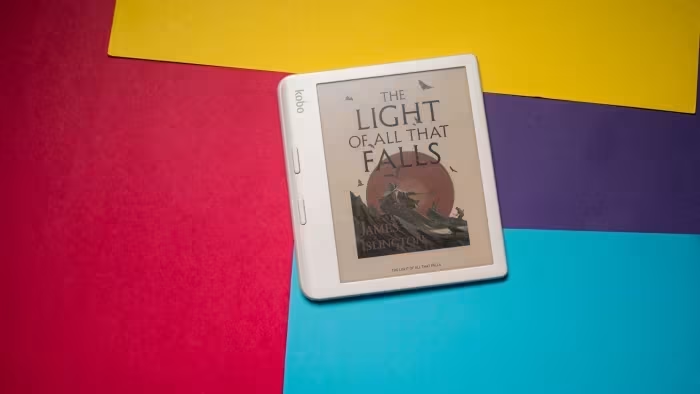
- Kobo Libra Colour — A major competitor that offers physical page-turn buttons, open-source library support, and waterproofing. Reviewers often recommend this over the Kindle for those who want a more flexible, open ecosystem.
- Onyx Boox Go 10.3 / Note Air 4C — Recommended for power users who need a full Android experience, third-party apps, and more granular control over files. These are often seen as better 'value' for the hardware specs provided.
- ReMarkable Paper Pro — Specifically highlighted for its superior paper-like writing feel compared to the Kindle Scribe. It is the preferred choice for those who prioritize a distraction-free, dedicated writing experience over e-reading.
- iPad Air — Frequently compared as a 'step-up' device for users who need a high-performance tablet for media consumption and note-taking, though it lacks the eye-friendly E-Ink display of the Kindle.
- PocketBook Verse Pro / InkPad Color 3 — Cited for their better support of library borrowing systems (like Libby) and physical buttons, making them strong choices for library-heavy readers.
Alternatives sourced exclusively from reviewer mentions.
✅ Buy This If…
- You are already invested in the Amazon ecosystem and want a seamless reading experience.
- You value battery longevity and a distraction-free, dedicated reading environment.
- You are a student or professional needing a large, reliable digital notebook (Scribe).
❌ Skip This If…
- You need an open system that supports multiple ebook formats and library services like Libby without friction.
- You want a device that allows for advanced multi-tasking or app installation.
- You are on a tight budget and want the best possible hardware specs for the price (look at Kobo or Onyx instead).
⚠️ Things to Check Before Buying
- Check if your local library uses Libby, as Kindle support varies by region and is sometimes less integrated than on Kobo.
- Consider whether you need waterproofing, as entry-level Kindles lack this feature.
- Be aware of 'ad-supported' models; you may want to pay the extra surcharge to avoid lock-screen advertisements.
📈 Sentiment Trends Over Time
Reviews span 2024–2026. The following changes were detected:
- Software Functionality — Recent updates (v5.19.2) have significantly improved PDF annotation and file management, addressing long-standing complaints.
- Price-to-Value — Reviewer sentiment regarding price has trended downward as Amazon has increased costs across the lineup without consistent hardware leaps in entry-level segments.
The Amazon Kindle remains an outstanding, high-quality choice that defines the e-reader category. While the ecosystem is closed and the premium models carry a steep price tag, the combination of a sharp display, industry-leading battery, and user-friendly interface is hard to beat. For most, the Paperwhite represents the 'sweet spot' of value and performance, while the Scribe serves as a powerful, albeit expensive, professional tool. If you prioritize flexibility and open-library access, consider the Kobo Libra Colour instead.
Top Alternative: Kobo Libra Colour — Best for those who want physical buttons, waterproofing, and an open, flexible ecosystem.
Reviewer Perspectives & Source Breakdown
The second-gen Kindle Scribe is $100 off in this Prime Day deal - engadg...
Price: ₹25,000
The Kindle Scribe offers an excellent, smooth reading and writing experience with a sleek, slender design. At this record-low price, it stands out as a highly recommended e-reader and E Ink tablet.
Pros
- Smooth reading and writing experience
- Sleek and slender design
- Auto-adjusting front lights
- Record-low price currently available
Cons
- High standard retail price
- Newer models announced but not yet available
Hands on Review of the Amazon Kindle Scribe - Good e-Reader - goodereade...
The Kindle Scribe is a highly polished, premium e-note device that excels as both a large-format e-reader and a capable digital writing slate. Despite some limitations in cross-platform syncing, its excellent hardware and build quality make it a formidable competitor in the market.
Pros
- Stunning 10.2-inch 300 PPI E-Ink display
- Excellent build quality with recycled aluminum
- Highly functional note-taking and PDF annotation
- Extensive front-lit display with warm light system
- Compatible with many third-party WACOM styluses
Cons
- Sticky notes do not sync to other Kindle devices
- Stylus pressure sensitivity feels limited out of the box
- Premium stylus features require additional purchase
Amazon has finally fixed the Kindle Scribe's biggest flaw - pocket-lint....
Price: Approximately ₹41,800
The Kindle Scribe has finally received a long-overdue software update, version 5.19.2, which enables direct annotation and editing of sideloaded PDF files. This update improves the device's functionality across all generations by removing the previous requirement to use Amazon's cloud-based tool.
Pros
- Supports annotation of sideloaded PDFs via USB
- Update available for all Kindle Scribe generations
- Paper-like E Ink display
- Large screen ideal for note-taking
Cons
- Feature was missing for several years
- Update required for functionality
Kindle Scribe (2024) review: nothing to write home about | The Verge - t...
While the 2024 Kindle Scribe adds requested note-taking features, it falls short of being truly useful and faces strong market competition.
Pros
- Jot notes directly onto ebook pages
- Handwriting to text conversion
- Summarization for built-in notebooks
Cons
- Lacks essential utility for a note-taking device
- Faces significant and better alternatives in the market
Amazon Kindle Scribe Colorsoft hands-on | The Verge - theverge.com...
Price: Approx. ₹52,700 ($629.99)
The Kindle Scribe Colorsoft is a compelling, thin, and lightweight e-reader that excels for professionals and students. While expensive, its focused, distraction-free environment and new color display make it a superior tool for reading and annotating documents.
Pros
- Beautiful and functional color display
- Extremely thin and lightweight design
- Improved pen with stronger magnets
- Useful AI-powered document summarization
- Distraction-free environment for productivity
Cons
- Premium pricing for an e-reader
- AI features require Wi-Fi connection
- Not a full-featured tablet
Here are the new features on the Kindle Scribe Colorsoft and Kindle Scri...
The latest Kindle Scribe models receive significant software updates, including AI-powered note-taking features, improved productivity integrations, and system-wide Dark Mode. These enhancements aim to increase utility and streamline workflows for note-taking and document management.
Pros
- AI-powered notebook search and summarization tools
- Seamless integration with Google Drive and Microsoft OneDrive
- System-wide Dark Mode for better customization
- Smart Shapes feature for clean and precise note-taking
- Ability to share notes and documents with Alexa
Cons
You can get your hands on the new Kindle Colorsoft sooner than you think...
Price: Approximately ₹42,000 to ₹53,000
The new Kindle Scribe models introduce significant hardware upgrades, including faster performance, improved writing feel, and AI integration. The addition of the Colorsoft model offers a color e-ink experience while maintaining the benefits of a paper-like display.
Pros
- Improved writing feel with texture-molded glass
- 40 percent faster page turns and writing
- Google Drive and OneDrive file integration
- New AI features for note-taking and search
Cons
- No pre-order option available
- High price point for premium models
- Battery life claims require real-world validation
Kindle Scribe 2 Review: Bigger, Better, Still Not a Notepad - overkill.w...
Price: approx. 33,500 INR
The Kindle Scribe 2 is the best Kindle for users wanting a large screen and basic annotation capabilities. While it excels as a reading device with excellent highlighting, it falls short as a dedicated digital notebook compared to specialized alternatives.
Pros
- Large display perfect for reading
- Excellent highlighting and annotation experience
- Great two-column landscape reading layout
- Supports Wacom-compatible third-party pens
Cons
- Note-taking features are basic and sometimes buggy
- Amazon ecosystem is increasingly locked down
- AI features limited by region
- Sideloading books is becoming more cumbersome
I Go Hands-On With the New Kindle Scribe Colorsoft. Is It Worth $630? - ...
Price: ₹53,000
The Kindle Scribe Colorsoft is a high-end E Ink tablet featuring a larger display, improved stylus ergonomics, and color annotation capabilities. While it offers performance boosts and a refined design, its high price point puts it in direct competition with premium rivals.
Pros
- Larger 11-inch screen with smaller bezels
- Smoother, more lifelike pen responsiveness
- Improved ergonomic design for the Premium Pen
- Stronger magnets for pen attachment
- Useful new color annotation and shading tools
Cons
- Expensive at $630
- Color resolution drops to 150 ppi
- Not waterproof
- No immediate availability for pre-order
Page 3 of 12