Elgato Stream Deck Review
Elgato Stream Deck Series
A versatile ecosystem of customizable macro controllers designed to streamline professional streaming and productivity workflows.
How This Score Is Calculated
- Sources analysed: 17 reviews
- Explicit scores: 12 sources (weighted 1.5×)
- Sentiment-only: 5 sources (weighted 1.0×)
- Raw weighted average: 8.4
- Consensus bonus +0.3: 85% agreement on utility
Algorithmically calculated from source data.
- Most reviewed featureSoftware/Customizability (17/17)
- Most praisedWorkflow efficiency
- Most criticisedHigh price point
- Value for moneyGood Value (7.2/10)
The Elgato Stream Deck family is widely regarded as the industry standard for macro control, transforming complex PC tasks into single-button operations. While individual models vary from the compact Mini to the dial-equipped Plus, the consensus praise centers on the powerful, intuitive software ecosystem that enables near-infinite automation. While the hardware is consistently lauded for its build quality, reviewers note that the premium pricing makes these devices a specialized investment rather than a casual purchase.
🔧 Key Specifications
- Connectivity: USB-C (some models USB-A)
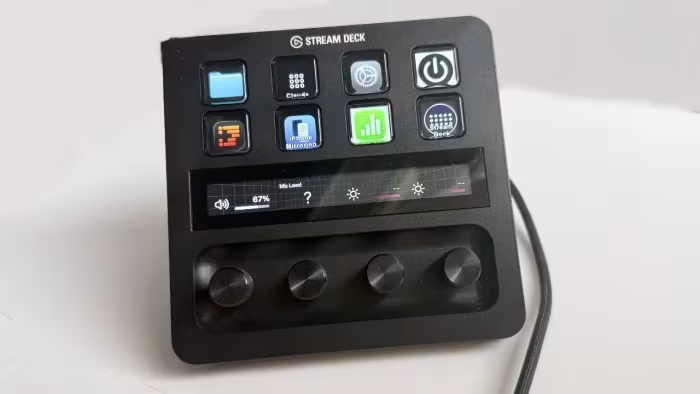
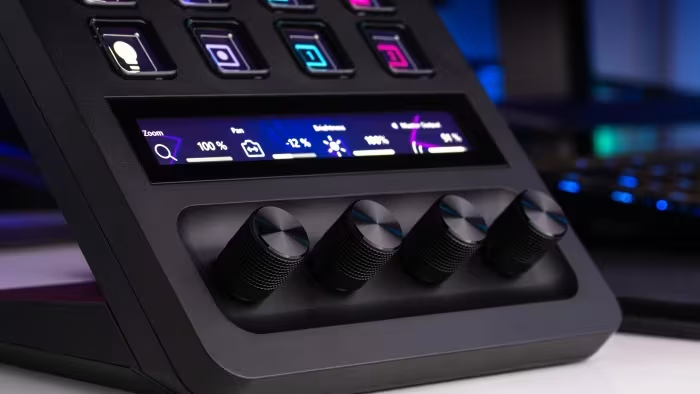
- Input Types: LCD Buttons, Rotary Dials (Plus model), Touch Strip
- Software: Elgato Stream Deck App (Free)
- Build: Plastic with swappable faceplates (MK.2)
- Mounting: 1/4-inch thread (Scissor Keys model)
- Compatibility: Windows and macOS
💲 Price Range
₹8,300 – ₹21,500
Prices vary by model (Mini, MK.2, Plus, Neo).
📊 What Reviewers Say — Feature by Feature
17 features evaluated across 17 sources.
👍 Key Strengths
- Infinite automation via software
- Excellent tactile LCD buttons
- Deep plugin ecosystem
- Easy plug-and-play setup
- Sleek, durable design
👎 Key Weaknesses
- High entry price
- Steep learning curve for advanced tasks
- Limited dial support in some apps
- Some models lack haptics
- Requires manual setup for niche plugins
💰 Value for Money Analysis
Reviewers generally consider the Stream Deck a high-quality investment for serious creators. While the entry-level models offer good value, the higher-end Plus version is often described as a premium tool that requires a specific need for rotary dials to justify its cost.
12 of 17 sources commented on price or value.
⚡ Where Reviewers Disagreed
The following areas saw meaningful disagreement across sources.
- Dial Integration: 4 sources praised the dials on the Stream Deck+, while 3 sources criticized them for lacking sufficient plugin support and context.
🎯 Who This Product Is For
🛠️ Best Use Cases
- Live BroadcastingUnrivaled control for scene switching, audio mixing, and live chat moderation.Great
- Creative WorkflowPerfect for assigning complex shortcuts in software like Premiere Pro or Photoshop.Great
- System ManagementExcellent for controlling PC lighting, volume, and hardware settings via rotary dials on the Plus model.Good
🔀 Alternatives Mentioned by Reviewers
- Loupedeck Live — Frequently cited as the primary competitor, noted for its flatter, more ergonomic design, though some reviewers feel the Elgato software ecosystem is more robust.
- RODEcaster II — Mentioned as a higher-end, more expensive alternative for audio-centric workflows, though it lacks the visual macro-button interface of the Stream Deck.
- GoXLR — Noted as a discontinued predecessor in the audio space; the Stream Deck+ is often recommended as the logical modern replacement.
- Stream Deck Mini / XL — Internal product alternatives; the Mini is recommended for budget-conscious users, while the XL is suggested for users needing maximum button density.
Alternatives sourced exclusively from reviewer mentions.
🛒 Buyer's Guide
✅ Buy This If…
- You are a streamer looking to professionalize your broadcasts.
- You frequently use complex macros in creative software.
- You want a tactile, visual interface for system control.
❌ Skip This If…
- You are a casual user who only needs basic keyboard shortcuts.
- You are on a very strict budget and don't require external hardware.
⚠️ Things to Check Before Buying
- Ensure your preferred software has existing plugin support within the Marketplace.
- Consider whether you need the rotary dials of the Plus model or if a standard button-only model suffices.
- Verify your desk space, as some units may require a non-slip base or specific mounting.
📈 Sentiment Trends Over Time
Reviews span from early iterations to the latest Plus and Neo models.
- Hardware Tactility — Newer models, particularly the scissor-switch versions, have significantly improved the physical feedback compared to older membrane-based units.
The Elgato Stream Deck remains the gold standard for macro-control hardware, offering a perfect marriage of robust, user-friendly software and high-quality tactile hardware. While the price point is steep, its ability to centralize and automate complex workflows makes it an essential tool for serious creators. For most users, the MK.2 offers the best balance, though the Plus is the superior choice for those requiring rotary control. If you are a professional streamer or creator, this is an investment that will pay dividends in workflow efficiency.
Top Alternative: Loupedeck Live — A strong competitor that offers a different ergonomic approach for those who prefer a flatter, more integrated profile.
Reviewer Perspectives & Source Breakdown
Elgato Stream Deck+ review: totally compelling - appleinsider.com...
Price: Approx. ₹16,700
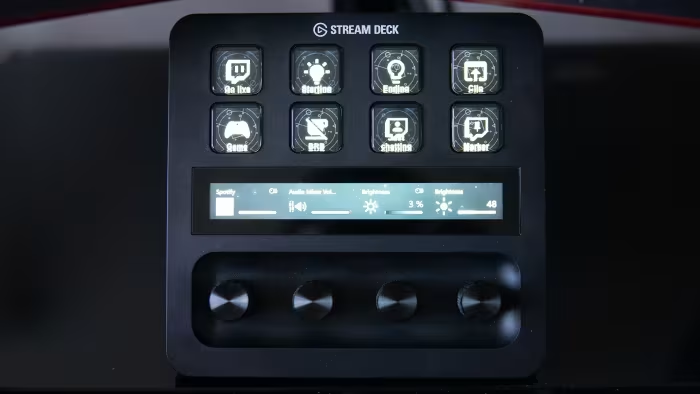
The Elgato Stream Deck+ is a highly versatile tool that significantly improves workflow efficiency through its unique combination of tactile buttons, dials, and a touchscreen. It serves as an essential accessory for managing apps, hardware, and complex macro sequences with ease.
Pros
- Infinite scrolling dials offer precise, tactile control
- LCD buttons provide customizable visual feedback
- Expandable via optional modular docking accessories
- Powerful app enables complex automation sequences
Cons
- Unit can slide on desk if base is unsealed
- Limited adjustment for viewing angles
- Requires time to learn the software
Elgato Stream Deck Scissor Keys Review - gadgetpilipinas.net...
The Elgato Stream Deck Scissor Keys offers a significant tactile improvement over the older membrane version, providing a crisper, more precise, and more confident typing experience. It retains the familiar software ecosystem while refining the hardware to better suit fast-paced professional workflows.
Pros
- Crisper and more tactile key press
- Shortened key travel for faster response
- Balanced force across the keycap
- Includes convenient 1/4-inch mounting thread
Cons
- Some plugins and profiles unavailable in certain regions
- Requires manual setup for unsupported marketplace items
Elgato Stream Deck + review: handy haptics, so-so support - pcgamesn.com...
Price: approx. ₹16,700
The Elgato Stream Deck + is a brilliant and versatile tool for streamers and creators, offering solid build quality. However, its value is dampened by some confusing software omissions, functionality glitches, and limited physical adjustments.
Pros
- Versatile all-in-one solution
- Excellent build quality
- Best-in-class software
- Wave Link makes it a great hardware mixer alternative
Cons
- Lack of haptics on the touch bar
- No in-built profiles for productivity apps
- Limited dial and touch bar support
- No adjustable stand
Elgato Stream Deck – Review – Simracing-PC - simracing-pc.de...
Price: Approximately ₹11,500 - ₹13,500
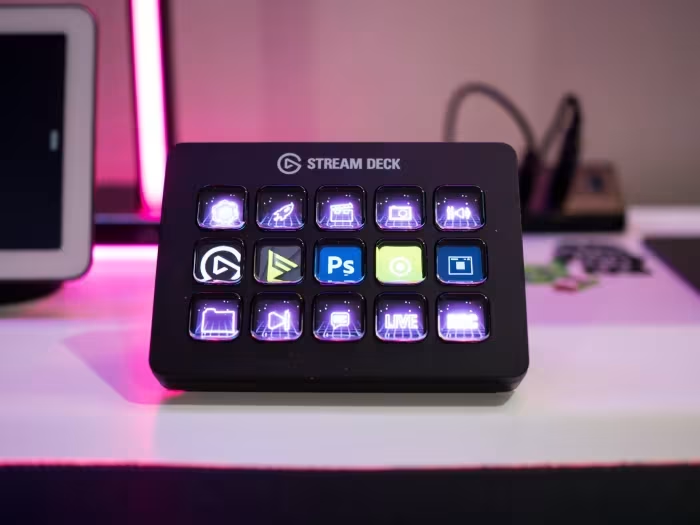
The Elgato Stream Deck is a versatile and easy-to-configure device that significantly enhances control in simracing and streaming setups. While the price is high, its LCD buttons provide superior functionality compared to traditional button boxes.
Pros
- High level of customizability
- Virtually unlimited functions possible
- Easy to use and set up
- Simple, sleek design
Cons
- Expensive price point
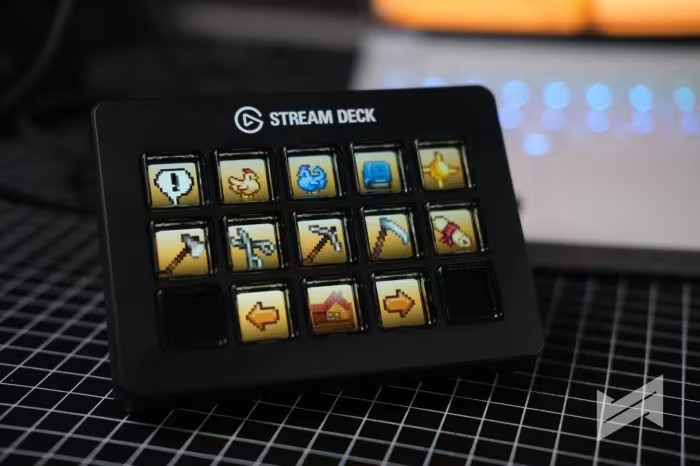
- Low LCD resolution
- Average button pressure point
Elgato Stream Deck MK.2 review: Still the default choice for streamers |...
Price: Approximately ₹12,500
The Stream Deck MK.2 is an excellent, highly customizable tool for streamers that offers great tactile keys and seamless software integration. While it remains costly, its versatility and improved connectivity make it a top-tier choice for broadcasting.
Pros
- High level of customizability
- Detachable USB-C cable
- Built-in OBS and Twitch integration
- Great tactile LCD keys
- Configurable faceplates
Cons
- Costly
- Lacks deep integration with video editing software
Elgato Stream Deck Mk.2 Review | MMORPG.com - mmorpg.com...
Price: approx. 12,500 INR
The Elgato Stream Deck Mk.2 is an excellent, intuitive tool for enhancing production quality through powerful software integration. While it offers only minor hardware improvements over the original, its customizable features and workflow efficiency make it a highly valuable investment for serious streamers.
Pros
- Easy to set up and use
- Provides endless functionality
- Powerful software enables deep customization
- Detachable USB-C cable
- Customizable and swappable faceplates
Cons
- High price point can be cost-prohibitive
- Minimal hardware changes from original model
Elgato Stream Deck+ with XLR Dock MK.2 review: Why this setup improves a...
Price: Approximately ₹11,500 for the XLR Dock
The XLR Dock MK.2 and Stream Deck+ offer a versatile and seamless solution for creators to control audio and PC workflows. Its integration with a vast plugin ecosystem makes it highly useful for both streaming and general productivity.
Pros
- Virtually unlimited PC control options
- Versatile buttons and rotary dials
- Supports multi-action commands
- Extensive plugin ecosystem
- Free Wave Link software
Cons
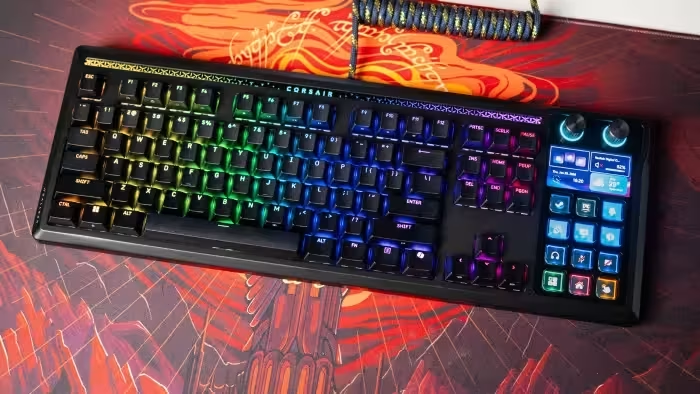
corsair integrated elgatos stream deck into a mechanical gaming keyboard...
The Galleon 100 combines a terrific mechanical keyboard with Elgato Stream Deck integration, creating a unique product. From a keyboard point of view, there's a lot to like: the gasket-mounted design has excellent feel in daily use, and the custom MLX Pulse linear switch is fantastic. There are all the usual extras you get with gaming keyboards, and the inclusion of the Stream Deck brings unlimited customizability — you can use it to assign in-game actions, create macros, and do so much more. It is a novel idea, and Corsair did a great job overall. You are paying a premium here, but if you need the versatility of the Stream Deck in your keyboard, there really isn't anything better. £309.99 at CORSAIR Check Amazon
Pros
- Durable design with top-notch build quality
- Stream Deck integration with high customizability
- Pre-lubed linear switch is a joy to use
- Good RGB lighting with shine-through legends
- USB passthrough mode
Cons
- Needs two different software utilities
- Costly
Page 2 of 2