CyberLink PowerDirector 365 Review

CyberLink PowerDirector 365
A powerful, user-friendly video editing solution designed for dedicated amateurs and social media creators.
How This Score Is Calculated
- Sources analysed: 5 reviews
- Sentiment-only: 5 sources (weighted 1.0×)
- Split: 3 Positive · 2 Mixed · 0 Negative
- Raw weighted average: 7.2
- Final score: 7.2/10
- Most reviewed featureAI Tools (5/5)
- Most praisedInterface/Ease of Use
- Most criticisedCredit-based AI/Subscription
- Reviewer consensus levelModerate
CyberLink PowerDirector 365 is a highly accessible video editor that bridges the gap between basic tools and professional suites. It is widely praised for its intuitive interface and extensive library of stock assets, making it an excellent choice for casual creators and social media influencers. However, reviewers note that the reliance on a credit-based system for AI tools and a strictly subscription-only model can lead to unexpected costs.
🔧 Key Specifications
- OS Support: Windows and Mac (with feature disparity)
- AI Features: Credit-based system
- Assets: Integrated Shutterstock library
- Pricing Model: Subscription-only
💲 Price Range
£17.99/month to £47.99/year (varies by region/platform)
Prices sourced from reviews. Check current retailer pricing.
📊 What Reviewers Say — Feature by Feature
4 features evaluated across 5 sources.
👍 Key Strengths
- Intuitive and elegant interface
- Great integrated stock asset library
- Accessible for beginners
- Regular updates and presets
👎 Key Weaknesses
- Expensive credit-based AI system
- Subscription-only model
- Mac and PC feature disparity
- No keyboard shortcuts for editing
💰 Value for Money Analysis
Reviewers generally consider the annual subscription to be a cost-effective middle ground between free software and high-end professional suites. The inclusion of stock assets adds significant value for social media creators, though the hidden costs of AI credits can impact the long-term value proposition.
5 of 5 sources commented on price or value.
⚡ Where Reviewers Disagreed
The following areas saw meaningful disagreement across sources.
- Advanced Toolset: Some reviewers call it a "powerful" editor, while others explicitly state it "lacks professional power tools" like standard keyboard shortcuts. This stems from a difference in perspective—reviewers focusing on social media creation find it powerful, while those comparing it to Premiere Pro find it limited.
🎯 Who This Product Is For
Reviewer recommendations for different target audiences and use cases.
🛠️ Best Use Cases
- Social Media Content Creation Highly effective for quick edits, composite clips, and adding stylish effects using the built-in library. Great
- Learning Video Editing Extensive online tutorials and an easy-to-use interface make it a perfect starting point. Great
- Complex Professional Projects Lack of standardized shortcuts and professional-grade precision makes it unsuitable for complex production. Poor
🔀 Alternatives Mentioned by Reviewers
Reviewers compare PowerDirector 365 against various professional and entry-level competitors.
- Adobe Premiere Pro — A professional industry-standard suite. Significantly more expensive and intimidating than PowerDirector, recommended for those needing advanced, professional-grade precision.
- Apple Final Cut Pro — A professional-grade editor. Like Premiere, it is considered more intimidating and professional-focused compared to PowerDirector's amateur-friendly approach.
- Adobe Premiere Elements — A direct competitor in the consumer space. Often compared for its balance of power and user-friendliness for social media content.
- iMovie — A free, entry-level editor. PowerDirector is seen as a more feature-rich alternative for those who find iMovie too basic.
- DaVinci Resolve — A professional-grade tool with a free version. While powerful, it can be feature-locked or unstable, making PowerDirector a more user-friendly middle ground for beginners.
Alternatives sourced exclusively from reviewer mentions.
🛒 Buyer's Guide
✅ Buy This If…
- You are a beginner or dedicated amateur looking for an easy-to-use editor.
- You frequently create social media content and want access to stock assets.
- You prefer a subscription model with regular content and preset updates.
❌ Skip This If…
- You are a professional editor requiring standardized keyboard shortcuts and pro-grade precision.
- You have a limited budget and want to avoid ongoing subscription or credit-based costs.
- You require feature parity across Mac and Windows platforms.
⚠️ Things to Check Before Buying
- Check for feature disparities between the Mac and PC versions for your specific workflow.
- Be aware that AI tools require additional credits beyond your monthly/annual subscription fee.
📈 Sentiment Trends Over Time
Reviews reflect the shift toward AI-integrated workflows.
- Accessibility — The software maintains a high reputation for being user-friendly across both 2025 and 2026 reviews.
- Value Perception — Increasing reliance on credit-based AI tools has introduced concerns regarding "hidden" subscription costs in recent reviews.
CyberLink PowerDirector 365 is an excellent choice for casual creators and beginners who want a balance of power and simplicity. Its intuitive interface and stock asset integration make it a top-tier tool for social media content. While the credit-based AI system and subscription model are drawbacks, it remains a fantastic middle ground for those not ready for professional-grade software. If you require advanced professional tools, consider Adobe Premiere Pro instead.


Reviewer Perspectives & Source Breakdown
CyberLink PowerDirector 365 Review | High Ground Gaming - highgroundgami...
Price: Approximately ₹5,800 per year
PowerDirector 365 is an affordable, user-friendly video editing solution that occupies a sweet spot between free professional software and high-end, expensive industry standards. While it lacks some advanced features found in professional tools, its accessibility and media-rich features make it excellent for beginners and casual creators.
Pros
- Affordable annual subscription price
- Easy to use for beginners
- Includes access to Shutterstock assets
- Versatile editing modes for different workflows
Cons
- Lacks some advanced features of premium competitors
- Storyboard mode feels limited for final productions
CyberLink PowerDirector 365 review | Digital Camera World - digitalcamer...
Price: Approx. 1650 INR per month
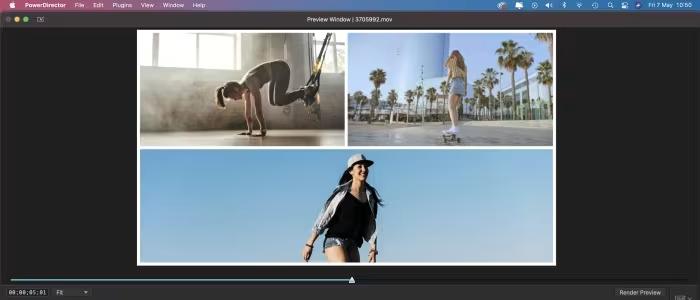
CyberLink PowerDirector 365 is a powerful yet accessible video editor that excels at creating composite clips for social media. The subscription model offers excellent value through its integrated Shutterstock library and regular content updates.
Pros
- Cheap source of stock clips
- Combine clips quickly and easily
- Regularly updated presets and effects
Cons
- Mac version lacks Action Camera Center
- Upside-down default timeline track order
CyberLink PowerDirector 365 (2026) review | TechRadar - techradar.com...
Price: Approx. ₹1,900 per month
CyberLink PowerDirector 365 is a well-designed video editor tailored for dedicated amateurs rather than professionals. While it offers an intuitive interface and capable features, its rigid design and credit-based AI tools can be limiting and expensive.
Pros
- Multi-platform support
- Limited free version available
- Elegant and easy to use interface
Cons
- No obvious keyboard shortcuts for editing
- AI-based tools require additional credits
- Cannot preview AI effects before purchasing
cyberlink powerdirector 365 2026 review...
CyberLink’s PowerDirector is a well-designed video editor. It isn’t aimed at the professional market, but more the dedicated amateur. As such, it possesses many tools to make editing more fun, but it lacks power tools like numerous standardised keyboard shortcuts. Additionally, CyberLink is making a push for AI-based tools, which look great, but are expensive to use. Cyberlink PowerDirector 365 for Mac - £17.99/mthViewat CyberLinkCyberlink PowerDirector 365 £17.99/mthViewat CyberLinkCyberlink PowerDirector 365 £41.99/yearViewat CyberLink30% offCyberlink PowerDirector 365 for Mac - £47.99/yearViewat CyberLink
Pros
- Multi-platform
- Limited free version available
- Elegant and easy to use
Cons
- No obvious keyboard shortcuts for editing
- AI-based tools run on credits
- Can’t preview an AI effect before buying it
i tested cyberlink powerdirector 365 on both a mac and windows pc and it...
PowerDirector 365 is a powerful video editor that offers all the tools you’d expect to edit clips together (transitions, effects, titles, the works), but is also stuffed with many AI features to give your work a more unique look. It’s a shame you need to pay for AI credits in addition to your ongoing subscription, so be aware that this might end up getting quite expensive if you’re really into AI. Aside from that, it has a good interface, and Cyberlink have produced numerous articles and videos online to help newcomers get into the wonderful world of video editing.
Pros
- Nice interface
- Impressive AI tools
- Relatively easy to use
Cons
- Disparity between Mac and PC
- AI needs a lot of credits
- Subscription only