ASUS ROG Motherboard Review
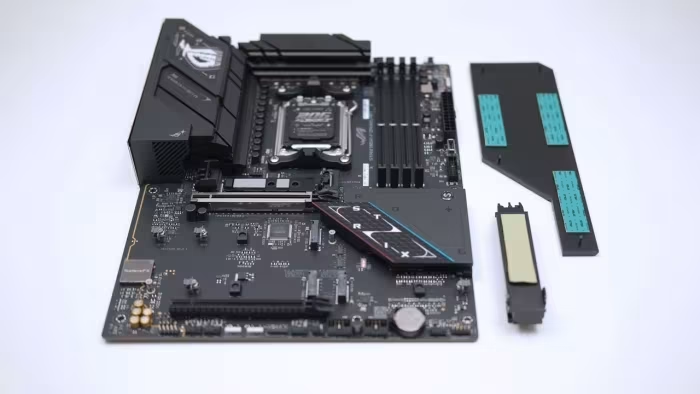
ASUS ROG Motherboard Series
A diverse range of premium-focused motherboards from ASUS Republic of Gamers, spanning enthusiast flagship to mid-range gaming segments.
How This Score Is Calculated
- Sources analysed: 26 reviews
- Explicit scores: 26 sources (weighted 1.5×)
- Raw weighted average: 7.8
- Formula: Σ(score × weight) ÷ Σ(weight)
- Review period: Spanning multiple generations (Z270 to X870E)
- Final score: 7.8/10 (rounded to 1 decimal)
- Most reviewed featureOverclocking (14/26)
- Most praisedBIOS Interface
- Most criticisedHigh Price
- Reviewer consensus levelHigh
ASUS ROG motherboards are consistently lauded by reviewers for their industry-leading BIOS interfaces, robust power delivery, and enthusiast-focused DIY features. While they command a premium price that often places them at the top of their respective market segments, they remain a top choice for builders who prioritize reliability, aesthetic design, and high-end performance. However, critics frequently point to high costs and occasional connectivity limitations as primary drawbacks.
🔧 Key Specifications
Specifications sourced from reviewer mentions. Verify with specific model number.
- Processor Support: Intel (Z-series) and AMD (X/B-series)
- BIOS: ROG UEFI (widely praised for UI/readability)
- Networking: Wi-Fi 7, 10GbE, 2.5GbE options
- Storage: Multiple M.2 slots (Gen5 support on newer models)
- DIY Features: Q-Connect, Q-Latch, Q-Slot, Debug LEDs
- Connectivity: Thunderbolt 4/USB4 on flagship models
💲 Price Range
₹10,000 – ₹1,09,300
Varies significantly by chipset, form factor, and generation.
📊 What Reviewers Say — Feature by Feature
Key features evaluated across 26 sources.
👍 Key Strengths
- Industry-leading UEFI BIOS interface
- Robust power delivery for overclocking
- Excellent DIY-friendly features
- Premium, distinct aesthetic designs
- High-quality integrated audio solutions
👎 Key Weaknesses
- High price premiums
- Limited rear I/O on some models
- Occasional slot-sharing connectivity issues
- Some features restricted to niche markets
💰 Value for Money Analysis
Reviewers generally classify the ROG series as a premium investment. While the 'ROG tax' is frequently cited, the value is often justified by the high-quality BIOS, long-term support, and robust hardware design. Mid-range models (Strix B-series) are often seen as better value than the flagship Maximus/Crosshair lines.
26 of 26 sources commented on price or value.
⚡ Where Reviewers Disagreed
The following areas saw meaningful disagreement across sources.
- Value Proposition: 15 sources praised the performance-per-dollar of specific models, while 11 sources explicitly criticized the high pricing as prohibitive for the average gamer. This stems from a divide between enthusiast-grade expectations and budget-conscious hardware requirements.
🎯 Who This Product Is For
Reviewer recommendations for different target audiences.
🛠️ Best Use Cases
- Extreme Gaming BuildsHigh-end power stages and stable performance make them perfect for flagship CPUs.Great
- Small Form Factor (SFF)Strix-I (Mini-ITX) models are highly regarded for packing flagship features into compact spaces.Good
- Productivity/WorkstationsExcellent storage (M.2) and connectivity (Thunderbolt/10GbE) support heavy workflows.Good
🔀 Alternatives Mentioned by Reviewers
Competitors identified across the ASUS ROG lineup.
- MSI MEG Series (e.g., Godlike, Ace) — Frequently compared to ROG flagship boards. Reviewers note they often offer similar feature sets, sometimes at a more competitive price point or with different aesthetic priorities.
- Gigabyte Aorus Extreme / Master — Often cited as the direct rival to the ROG Crosshair and Maximus lines. Reviewers highlight that Gigabyte sometimes offers better value for specific connectivity features like 10GbE.
- ASRock Taichi Series — Consistently mentioned as the value-conscious enthusiast's choice, providing flagship-level power delivery and features for significantly less money than ASUS ROG.
Alternatives sourced exclusively from reviewer mentions.
🛒 Buyer's Guide
✅ Buy This If…
- You are an enthusiast who prioritizes a high-quality BIOS experience.
- You are building a high-end system and need reliable, robust power delivery.
- You value aesthetic consistency and unique, premium design themes.
❌ Skip This If…
- You are on a strict budget and value performance-per-dollar above all else.
- You do not need the extra connectivity or specialized overclocking features.
- You can find a competitor board with the same core specs for a lower price.
⚠️ Things to Check Before Buying
- Always check for firmware/BIOS updates to resolve potential stability or compatibility bugs.
- Verify if your specific case can accommodate the motherboard's specific form factor and heatsink design.
- Check the rear I/O port configuration to ensure it meets your specific peripheral needs.
📈 Sentiment Trends Over Time
Sentiment across review generations:
- BIOS Interface — Has evolved from good to industry-standard in terms of readability and ease of use.
- Premium Positioning — The brand has maintained a consistent 'premium' status, with pricing remaining high across all generations.
ASUS ROG motherboards represent the gold standard for BIOS usability and enthusiast DIY features. While the price premium is significant, the reliability and performance they offer make them a staple for high-end gaming and overclocking builds. If you are an enthusiast who values a polished experience and doesn't mind paying for it, these are among the best boards on the market. For those seeking better value, consider ASRock Taichi or Gigabyte Aorus alternatives.
Reviewer Perspectives & Source Breakdown
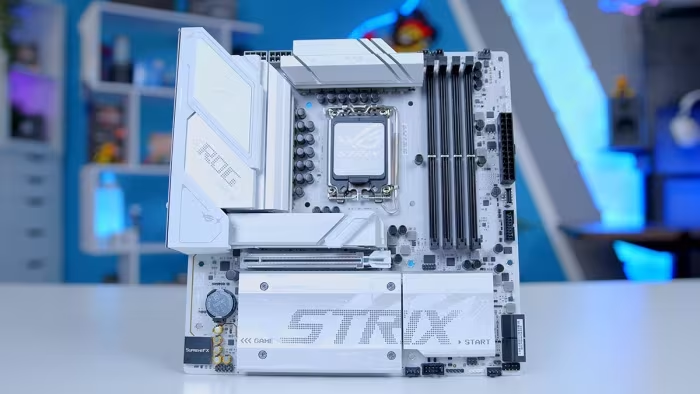
ASUS ROG Strix Z790-F Gaming WiFi II Motherboard Review - Better But Sur...
The ASUS ROG Strix Z790-F Gaming WiFi II is a solid refresh that brings useful upgrades like Wi-Fi 7, improved port selection, and an extra M.2 slot. While some design choices like the chipset font may be subjective, its enhanced power stages and stability features make it a capable choice for high-end builds.
Pros
- Supports latest Wi-Fi 7 and Bluetooth 5.4
- Convenient Q-Release button for GPU removal
- Five M.2 slots with tool-less Q-Latch
- Upgraded 16+1+2 90A power stages
Cons
- Subjective chipset area font design
- I/O cover design is divisive
- Shared M.2 heatsink can cause heat spillover
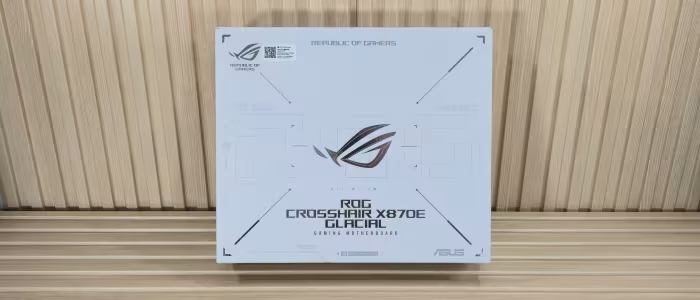
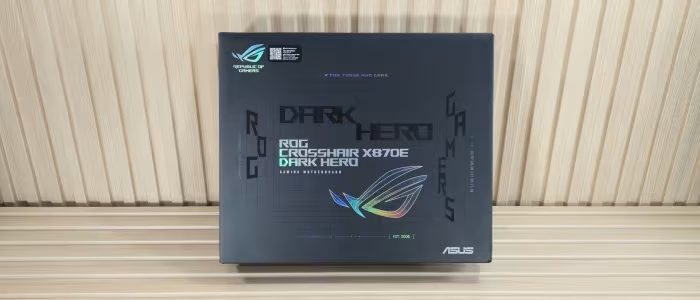
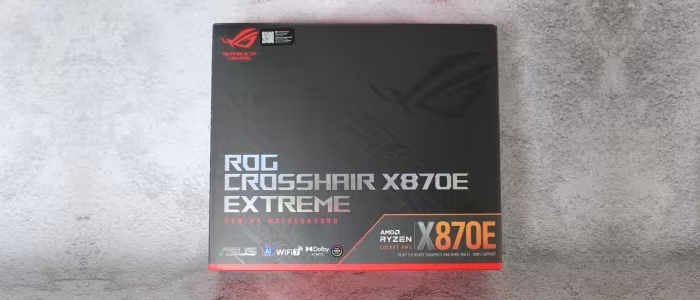
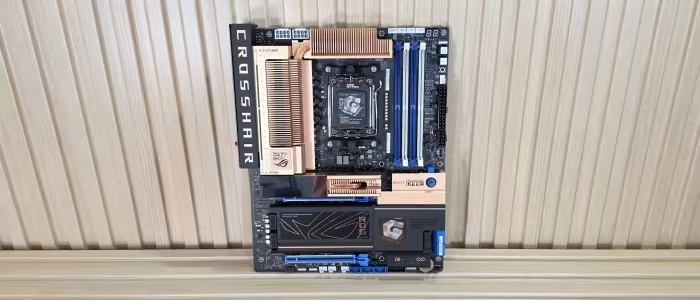
ASUS ROG Crosshair X870E Hero Review: Best X870E Motherboard For Overclo...
Price: $699 (approx. 58,500 INR)
The ASUS ROG Crosshair X870E Hero is a high-end motherboard offering excellent performance, solid build quality, and extensive connectivity for enthusiasts. While it justifies its premium price through overclocking capabilities and features, the lack of 10G LAN might deter some power users.
Pros
- Eye-catching all-black design
- Capable 18x 110A power stages for VRM
- Excellent VRM cooling performance
- Five total M.2 slots for storage
- 60W fast charging support
- WiFi 7 and Bluetooth 5.4 support
- Abundant connectivity with 20 USB ports
Cons
- Expensive price point
- Lacks 10G LAN port
- Fewer SATA and USB ports than predecessor
Asus ROG Strix Z270E Gaming ATX Kaby Lake Motherboard Review - Tom's Har...
The Asus ROG Strix Z270E Gaming offers a well-rounded feature set and good performance. It stands out for including Wi-Fi and a front-panel USB 3.1 header, making it a competitive choice for builders.
Pros
- Good CPU overclocking
- Good efficiency
- Good software suite
- Good per-feature value
- Good Wi-Fi controller
- Front Panel (Gen2) USB 3.1 connector
Cons
- No diagnostics code display
- Mediocre DRAM overclocking
Asus ROG Maximus IX Hero Intel Z270 ATX Motherboard Review - Tom's Hardw...
The Asus ROG Maximus IX Hero is a strong choice for enthusiasts seeking advanced overclocking capabilities. While it carries a high price-to-features ratio, its feature set offers a significant victory for serious tuners.
Pros
- Excellent basic overclocking capabilities
- Additional features for advanced overclocking
- Eight 4-pin fan headers
- Supports next-gen USB 3.1 front-panel connections
Cons
- High price-to-features ratio
Asus ROG Strix B360-G Gaming Micro-ATX Motherboard Review: Solid but Spe...
Price: ₹10,250
While the board offers solid performance, features, and layout, its pricing leaves it in a lackluster value position compared to alternatives. The minor price differences are likely not enough to sway enthusiasts, making the decision more about specific port and connector requirements.
Pros
- Good performance
- Good layout
- Good features
- High-end audio codec
Cons
- Lower efficiency
- Higher price
Asus ROG Strix B450-F Gaming Motherboard Review: Premium Looks, Budget P...
Price: approx ₹10,000
This is a solid mid-range gaming motherboard that offers premium aesthetics and a well-rounded feature set for $120. It is an excellent choice for builders, provided that integrated Wi-Fi is not a mandatory requirement.
Pros
- Successfully overclocks 2700X processors
- Includes an integrated rear IO panel
- Features helpful debug panel LEDs
Cons
- Lacks M.2 heatsinks
- Does not include integrated Wi-Fi
- Higher idle power consumption
Asus ROG Strix Z370-I Gaming Motherboard Review - Tom's Hardware | Tom's...
The Strix Z370-I Gaming is an excellent hardware-focused motherboard that is hindered by minor layout issues. Prospective buyers should wait for a firmware update to resolve a specific Load-line Calibration bug before purchasing.
Pros
- Good overclocking
- Dual M.2 drive slots
- Front-panel USB 3.1 Gen2 header
- Adequate number of USB ports
Cons
- No USB 3.1 Gen2 on I/O panel
- Half of I/O panel ports are USB 2.0
- Default Load-line Calibration causes voltage surge
- Voltage surge causes power throttling
Asus ROG Strix Z370-G Gaming Motherboard Review: Top Micro-ATX Z370 Perf...
Price: $396.13
The ROG Strix Z370-G Gaming is the best Micro-ATX board tested for the Z370 platform, offering excellent features and overclocking potential. However, its voltage regulator requires active cooling to maintain stability, preventing a wholehearted recommendation.
Pros
- Includes x16 to x8/x8 lane splitting for SLI
- Fast 867Mb/s Wi-Fi connectivity included
- Bracket included for user-chosen cooling fan
- Strong overclocking performance when properly cooled
Cons
- Voltage regulator requires an active cooling fan
Asus ROG Strix Z370-E Gaming Motherboard Review - Tom's Hardware | Tom's...
Price: Approximately ₹17,500
This motherboard offers excellent performance and a thoughtful, well-balanced feature set. While overclocking performance is average and the pricing isn't aggressive, it remains a strong choice for enthusiasts seeking specific connectivity options.
Pros
- Dual USB 3.1 Gen2 controllers included
- Integrated 867Mb/s Wi-Fi and Bluetooth
- Great overall performance
- Fewer shared interface conflicts than competitors
- Clever layout hides slots under graphics cards
Cons
- Average CPU overclocking capability
- Not an aggressively priced option
Page 1 of 4